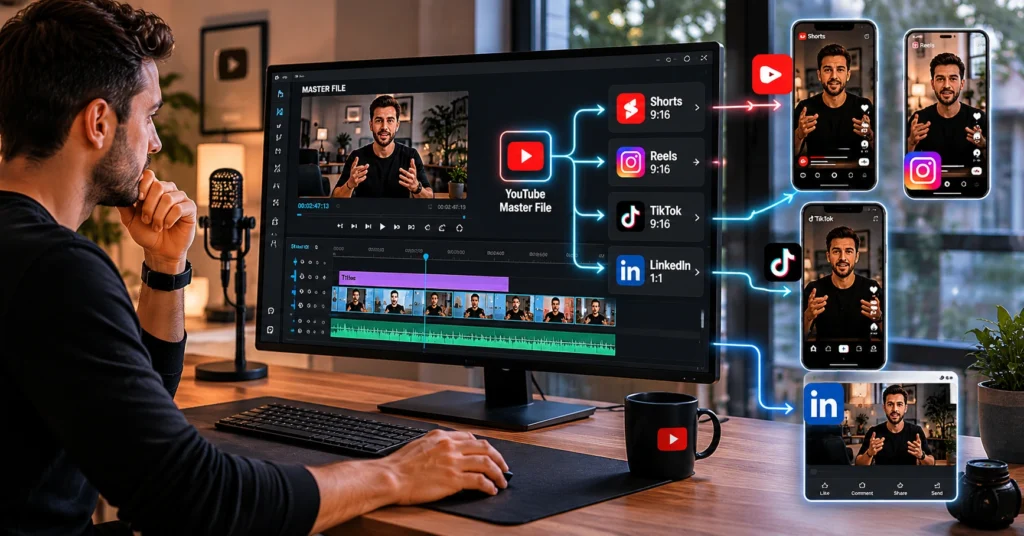
To repurpose youtube videos effectively, start by extracting the core insight from your long-form script, then rebuild it for each platform’s native format — not by cropping the same file five ways. I spent three months repurposing one long-form video into 12 short clips before I realized I was editing for the wrong platform first — and losing 40% of potential retention.
That’s the trap most beginners fall into: treating repurposing as a resizing job instead of a translation exercise. This guide shows you the workflow that actually works in 2026, with time estimates, tool recommendations, and the honest trade-offs you won’t find in generic tutorials.
What repurposing youtube videos actually means in 2026
Repurposing isn’t about posting the same clip everywhere. It’s about adapting one core idea to fit how each platform’s audience consumes content. YouTube rewards depth — a viewer might stick around for 8 minutes if the payoff is clear. Instagram Reels? You have 1.7 seconds to earn a second watch.
TikTok’s algorithm prioritizes completion rate over likes. LinkedIn native video performs best when the first frame works as a static post. These aren’t opinions — they’re platform behaviors that change how you edit.
Most creators waste time repurposing for platforms they don’t actually use. Pick two secondary platforms max. Master the format translation for those before adding a third. That’s the blunt verdict: breadth without depth just creates more content nobody finishes.
The unexpected angle here: repurposing works best when you plan for it before you hit record. If your YouTube script has a clear, standalone insight — a tip, a framework, a before/after — you can cut a short-form clip in 17 minutes. If the value depends on the full 10-minute context, no amount of editing will save it. Write your YouTube titles before you script. Then ask: “Could this title stand alone as a Reel hook?” If not, rework the insight.
The 5-step workflow to repurpose youtube videos without burning out
Step 1: Extract the core insight. Watch your published YouTube video at 1.5x speed. Note the timestamp where the main takeaway lands. That’s your clip seed. If you can’t find one, the video isn’t a repurposing candidate — and that’s fine. Not everything should be cut down.
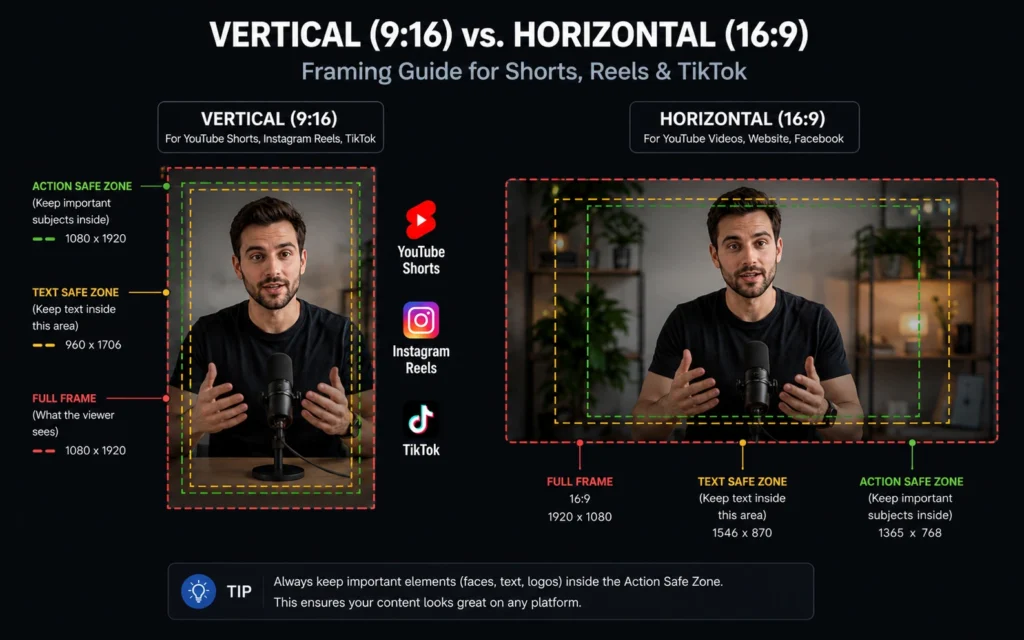
Step 2: Rebuild for platform-native format. Vertical 9:16 for Shorts, Reels, TikTok. Square (1:1) or horizontal (16:9) for LinkedIn. Adjust your hook placement: on Instagram, the first frame must work as a static image because many users scroll with sound off. On TikTok, lead with movement or text overlay — silence kills retention.
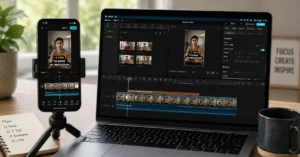
Step 3: Edit captions and audio separately. Export clean voice audio first. Add platform-specific captions last. Here’s the workflow detail only a real user would know: CapCut’s auto-caption sync breaks when you change playback speed above 1.2x. Export the SRT file before adjusting speed, then fix timing in the subtitle editor. Saves 12 minutes per clip.
Step 4: Test retention before publishing. Watch your cut at 1.5x speed. If the hook doesn’t land in the first 3 seconds at accelerated playback, it won’t hold attention at normal speed. This is the precise observation that separates usable clips from filler: retention isn’t about length — it’s about momentum.
Step 5: Publish with platform-specific metadata. Titles, hashtags, and CTAs change per platform. A YouTube description won’t work for a Reel — rewrite for the native audience. Use the short-form video structure guide to align your hooks with each platform’s retention pattern.
You’ll spend 45–60 minutes total to repurpose one strong YouTube video into three platform-native clips. That’s the real time cost. Anything less means you skipped testing. Anything more means you’re over-editing.
Where repurposing works — and where it backfires
Repurposing youtube videos 2026 isn’t about chasing every trend. It’s about matching content to consumption behavior. Short-form clips work best when the original video has a clear, actionable tip — “how to fix X in 3 steps” translates cleanly. Deep-dive tutorials or multi-part series rarely work as short clips. Save your time for content that translates.
Here’s the honest admission: I once spent two hours cutting a Reel from a 20-minute case study. It got 87 views. The problem wasn’t the edit — it was the source material. The value depended on context the short format couldn’t provide. That’s the trade-off: if the insight needs setup, don’t force it into 30 seconds. Post a text carousel instead with a link to the full video.
Platform behavior matters more than follower count. Instagram Reels prioritize completion rate — a 28-second clip with 70% completion outperforms a 55-second clip with 40%. TikTok rewards rewatchability — if viewers watch your clip twice, the algorithm pushes it further. LinkedIn native video works best when the first frame is a strong static hook — many users scroll with sound off. These aren’t guesses. Test one metric per platform for two weeks. Then double down on what moves.
If you’re repurposing for LinkedIn, add a text-first hook in the first frame. If you don’t have design bandwidth, post the clip as a document carousel instead. That’s the named alternative: sometimes the best repurpose isn’t a video at all.
Tools that save time vs. tools that add friction
Not every tool speeds up repurposing. Some add steps that don’t scale. Here’s what actually helps in 2026:
CapCut (desktop): Best for auto-captions and speed adjustments. But export SRT files before changing playback speed — sync breaks above 1.2x. Use the “Export without watermark” setting to avoid re-uploading.
Descript: Excellent for script-based editing. If your YouTube video has a clean transcript, you can cut clips by deleting text. But the learning curve is 45 minutes — only worth it if you repurpose weekly.
Canva: Good for adding static hooks to Reels. Use the “Video” template with 9:16 ratio. But avoid over-designing — too many text overlays hurt retention on TikTok.
YouTube Studio’s built-in clip tool: Fast for creating Shorts from your own videos. But you can’t customize captions or add platform-specific hooks. Use it for quick tests, not final publishes.
The real time-saver isn’t a tool — it’s a workflow. Batch your repurposing: extract all core insights on Monday, edit clips Tuesday, publish Wednesday. That’s 3 hours of focused work instead of scattered 20-minute sessions. [IL → /creator-tools-comparison/ | creator tools comparison] breaks down which software fits which workflow stage.
One caution: avoid tools that promise “one-click repurposing.” They rarely respect platform-specific retention patterns. You’ll spend more time fixing their output than editing from scratch.
Frequently Asked Questions About repurpose youtube videos
How long should a repurposed short-form clip be?
Aim for 22–38 seconds for Shorts and Reels. That’s the retention sweet spot where completion rates stay above 65%. Longer clips work on TikTok only if the hook is exceptionally strong — test with your audience before committing to 60-second cuts.
Do I need to re-record audio for each platform?
No — but isolate the audio track before editing. Background music that works on YouTube often gets muted on Instagram. Export clean voice audio first, then add platform-appropriate music. This saves 8–10 minutes per clip and avoids copyright flags.
What’s the fastest way to add captions for Reels and Shorts?
Use CapCut’s auto-caption feature, but export the SRT file before adjusting playback speed. If you change speed above 1.2x, the sync breaks — fix timing in the SRT, then re-import. This workflow cuts captioning time from 15 minutes to 4.
Should I repurpose every YouTube video?
No. Only repurpose videos with a clear, standalone insight. Tutorial deep-dives or multi-part series rarely work as short clips — save your time for content that translates cleanly. If you can’t summarize the value in one sentence, skip the repurpose.
How do I know which platforms to prioritize?
Start with where your audience already engages. Check YouTube Analytics > Audience > “Other videos your audience watched.” If they watch lots of Shorts, prioritize YouTube Shorts first. If they’re on Instagram, test Reels. Don’t guess — let data pick your second platform.
Continue Exploring:
- YouTube & Video Creation hub — for foundational workflows before you repurpose.
- monetisation paths for repurposed content — if your goal is revenue, not just reach.