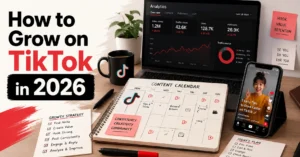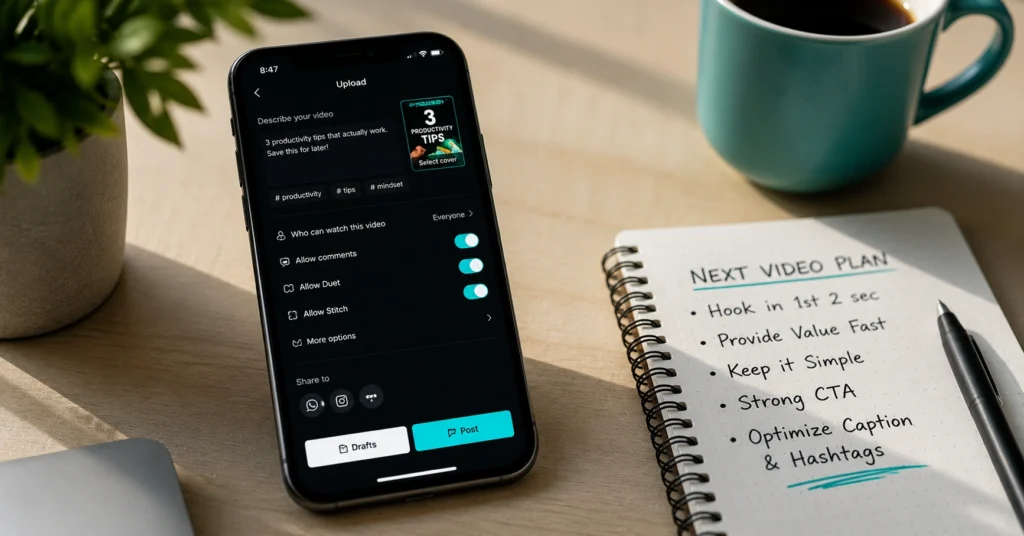
TikTok for beginners works when you treat the first post as a learning rep, not a launch. Set up your account with a clear niche keyword in your name, film a 15-second video answering one specific question your audience has, and publish before you over-edit. That’s the core.
Everything else — hooks, trends, analytics — comes after you’ve shipped one complete video. I wasted three weeks posting without a hook strategy before realizing TikTok’s first 3 seconds decide everything.
This guide skips the theory and gives you the exact setup sequence that gets your first video live in under 20 minutes.
What TikTok actually rewards from your first post (and what it ignores)
TikTok’s algorithm doesn’t care about your follower count on day one. It cares about one metric: whether someone watches your video past the 3-second mark. That’s the gate. If you lose them there, nothing else matters — not your caption, not your hashtags, not your profile link.
The platform rewards completion rate and re-watches, not polish. Your first video doesn’t need perfect lighting. It needs a clear hook, a single idea, and a reason to stay. Most beginners over-invest in editing before they’ve learned to finish. Ship the rep. Learn from the data. Then iterate.
Setup that takes 20 minutes, not 2 hours: account, profile, and first video checklist
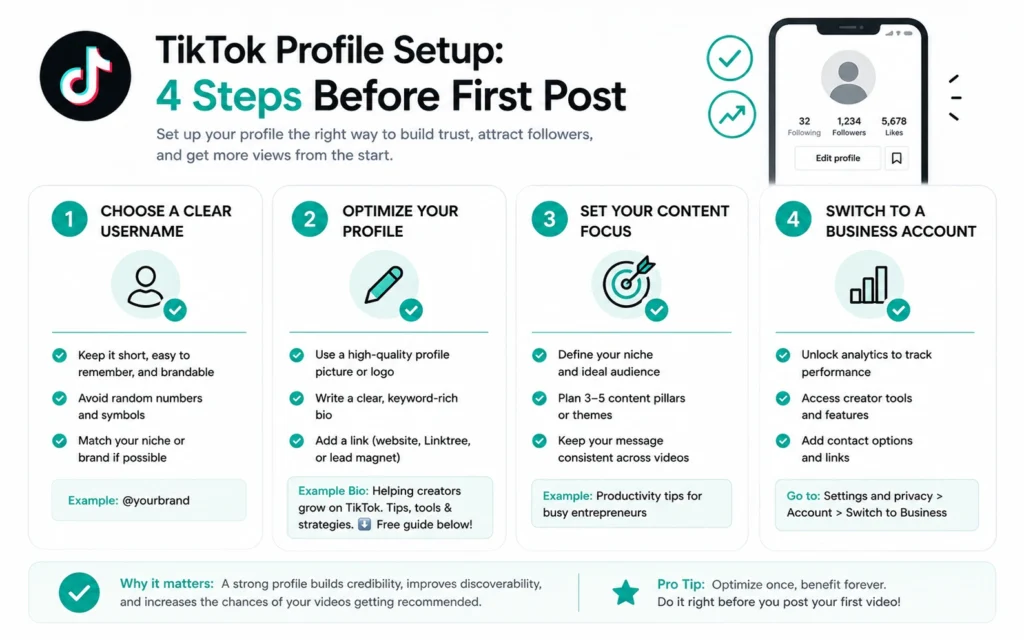
Start here. Do these steps in order. Skip nothing, but don’t add anything.
- Account creation: Use an email you check daily. Pick a username that includes your niche keyword — e.g., @CookingWithAlex, not @AlexTheGreat92. TikTok’s search weights display names heavily. Make yours work for discovery.
- Profile completion: Upload a clear headshot or logo. Write a bio that states who you help and how — “Quick vegan meals for busy students” beats “Food lover 🌱”. Add one link: your newsletter, a free resource, or a Linktree. Don’t overthink this. You can change it later.
- First video plan: Before you film, answer this: What one question does my viewer have right now? Write the answer in 15 seconds or less. Example: “How to chop an onion without crying” — not “My cooking journey”. Specificity wins.
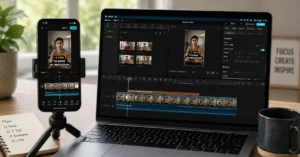
- Film and edit: Use your phone’s native camera. Record in good light — facing a window works. Keep the camera steady. Film three takes max. Edit in CapCut: trim dead air, add auto-captions (Settings > Auto Captions > enable), then manually fix punctuation. This step saves 12 minutes per video but requires that manual check — auto-captions miss context.
- Publish: Write your caption using the question you answered. Add 3–5 relevant hashtags: one broad (#CookingTips), two niche (#VeganMealPrep), one community (#StudentLife). Post. Don’t preview it 20 times. Hit share.
Short-Form Video guide — this checklist is your entry point; the hub shows how to plan your next five posts.
Three hook patterns that work for beginners — and the one mistake that kills retention
Your hook lives in the first three seconds. Not the caption. Not the thumbnail. The opening frame. Use one of these patterns:
- The question hook: “Struggling to chop onions without tears?” — states the problem immediately.
- The promise hook: “Here’s how to meal prep for under $20” — sets a clear, valuable outcome.
- The curiosity hook: “Most people store garlic wrong” — creates a knowledge gap.
The mistake that kills retention: starting with “Hey guys, welcome back”. TikTok isn’t YouTube. You don’t have five seconds to warm up. You have three. Cut the intro. Start with the value.
Trending sounds boost discovery but hurt brand consistency; if you’re building a business account, use original audio for your first 10 posts. You’re practicing hook and pacing — let the content carry the weight, not the audio trend.
Free tools that actually speed up short-form production (and two to skip)
Use these. Skip the rest until you’ve posted 10 videos.
- CapCut: Auto-captions, quick trimming, TikTok-native exports. The setting that matters: enable “Auto Captions” then manually review punctuation — it saves 12 minutes per video but misses context like brand names or technical terms.
- Canva: For simple thumbnail text or end screens. Use the “TikTok Video” template size (1080×1920). Don’t over-design. One font, one color accent.
- TikTok Creator Portal: Official resource for policy updates and feature guides. Bookmark it. Check it monthly, not daily.
Skip these for now:
- Complex editing suites (Premiere Pro, DaVinci): Overkill for 15-second clips. Learn the basics first.
- Hashtag generators: TikTok’s search is semantic now. Use 3–5 relevant tags you’d actually search. Tools that spam 30 tags hurt more than help.
hook formulas that retain viewers — once your setup is solid, this deepens your hook strategy with tested patterns.
Frequently Asked Questions About TikTok for Beginners
How long should my first TikTok video be?
Aim for 15–22 seconds. Short enough to finish without losing focus, long enough to deliver one complete idea. TikTok’s retention algorithm rewards watch-through rate, not duration.
Do I need to use trending sounds as a beginner?
Not for your first five posts. Trending sounds boost discovery but can drown your message. Start with original audio or a subtle background track to practice hook and pacing first.
What’s the best time to post on TikTok for beginners?
Post when your specific audience is active — not when generic charts say. Check your TikTok Analytics > Followers tab after 10 posts. Until then, publish consistently at one time and adjust based on retention data.
How do I write a caption that gets engagement?
Write the caption before you film. Use it to clarify the one question your video answers. End with a low-friction prompt: ‘Save this if you’ll try it’ works better than ‘Comment below’ for new accounts.
Should I switch to a Business Account right away?
Only if you need analytics or a website link immediately. Business accounts lose access to some trending sounds. Start personal, switch after your first 10 posts when you have baseline retention data to interpret.
Continue Exploring
- Short-Form Video guide — plan your next five posts with a repeatable system.
- hook formulas that retain viewers — deepen your opening three seconds after setup is solid.