

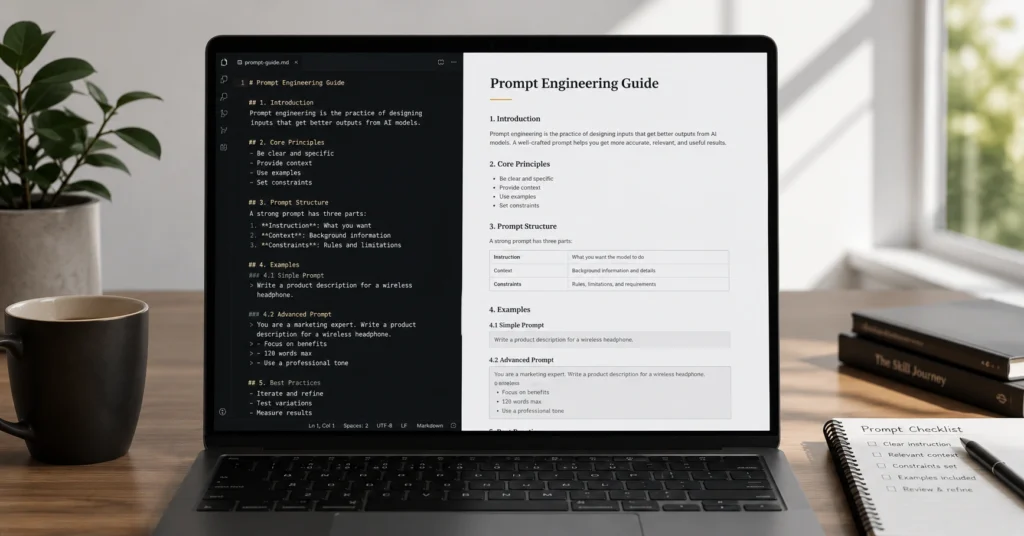
AI for content writing is not a replacement for a writer. It is a drafting engine. I’ve watched marketing teams waste 40 minutes trying to prompt an AI to “write a blog post,” only to spend an hour editing the generic fluff it produced. The tool only saves time when you use it to generate structure, overcome blank-page paralysis, and sort messy inputs.
If you ask it to write your final copy, you will spend more time fixing its hallucinations than you would have spent writing it yourself.
This guide breaks down the exact workflow to reduce first-draft time from 90 minutes to 20 minutes. That leaves the remaining time for human editing, fact-checking, and injecting actual brand voice. You will walk away with usable prompt structures, a clear understanding of where these models fail, and a repeatable process for AI for content writing in 2026.
What AI for content writing actually solves (and what it punishes)
AI models are prediction engines. They guess the next most likely word based on patterns in their training data. This makes them exceptionally good at certain tasks and dangerously bad at others.
They excel at structural heavy lifting. You can feed a model 15 pages of messy interview transcripts and ask it to extract the top five actionable takeaways in 12 seconds. It will do this flawlessly. It is also highly effective at generating five different angles for a headline or expanding a bulleted list into coherent paragraphs.
But AI fails at capturing brand-specific nuance. If your brand voice relies on specific industry jargon, inside jokes, or a distinct conversational rhythm, the model will default to corporate speak. It does not know your customers. It only knows the average of everything written on the internet.
Use AI for the skeleton, not the skin. Rely on it for outlines, research synthesis, and overcoming the blank page. Do not rely on it for final voice, strategic positioning, or factual claims without verification. The moment you treat it as an autopilot, your content becomes indistinguishable from the noise.
The 4-step workflow for AI-assisted drafting
Most people ask AI to write the whole post. Don’t.
A single, massive prompt yields a generic, bloated response. The quality of AI output degrades as the requested length increases. To maintain control, you must break the writing process into discrete, manageable steps.
Step 1: Define the constraints and audience Before you ask for any text, establish the boundaries. Tell the model exactly who is reading this, what their current knowledge level is, and what specific action they should take after reading. Do not just say “write about SEO.” Say, “Write for B2B marketing managers who are skeptical of AI and need to justify a software purchase to their CFO.”
Step 2: Generate the outline, then edit the outline Ask the AI to propose a structural outline based on your constraints. Review it. Delete weak sections. Merge redundant points. Add specific data points or case studies you know must be included. Do not proceed to drafting until the outline is something you would be happy to hand to a human writer.
Step 3: Draft section by section Feed the approved outline back to the AI. Prompt it to write only the first section. Review that section. Tweak the tone. Then, prompt it to write the second section, carrying forward any stylistic adjustments you made. This prevents the model from losing the thread or hallucinating details to fill space.
Step 4: Execute the human edit The human edit — the part you cannot skip — is where the actual value is created. Read the draft aloud. Cut predictable transition words like “Furthermore,” “In conclusion,” or “It is important to note.” Verify every statistic. Inject a specific, real-world example from your own experience.
Prompts and examples that survive the editing desk
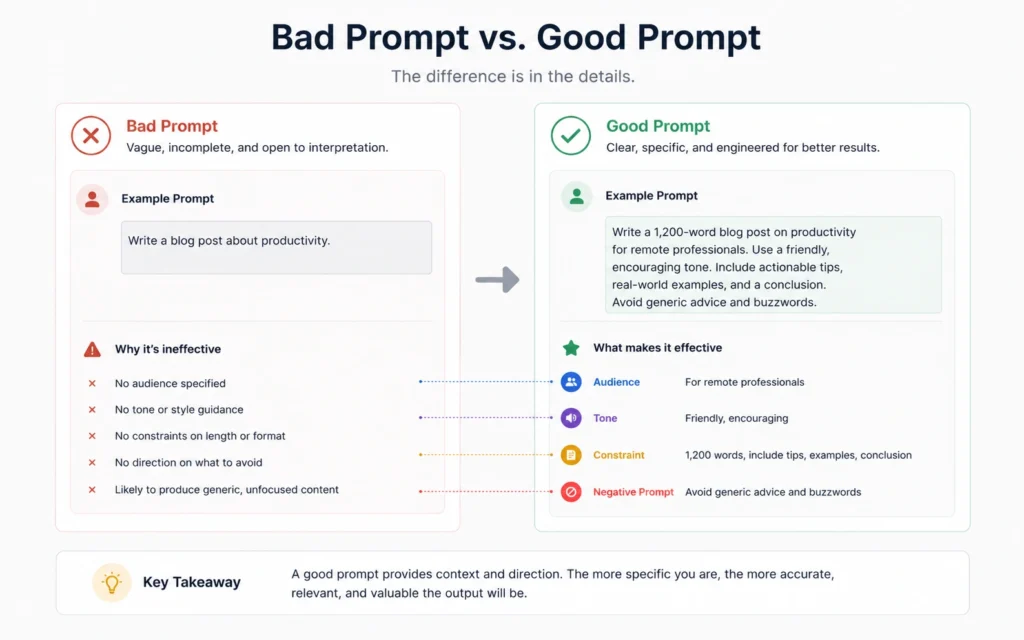
A prompt is not a magic phrase. It is a set of operational instructions. The difference between a useless output and a usable draft comes down to four variables: Role, Task, Context, and Constraints.
Consider this weak prompt: “Write a 1000-word blog post about AI for content writing.”
The model will produce exactly what you asked for: 1000 words of generic, predictable observations about how AI is “changing the game.” It will waste your time.
Now, look at a constrained prompt: “Act as a senior content strategist. Write a 300-word introduction for a post about ‘AI for content writing’. The audience is B2B marketing managers who are skeptical of AI hype. Tone: direct, no fluff, no buzzwords. Include one specific metric about time saved. Do not use the words ‘revolutionize’, ‘game-changing’, or ‘delve’.”
This prompt works because it removes ambiguity. It assigns a role (senior content strategist). It defines the exact scope (300-word introduction). It names the audience and their skepticism. It provides negative constraints (words to avoid).
When you structure prompts this way, the AI stops guessing and starts executing. You can save these constrained prompt structures as templates in your workspace. Reusing a proven framework is always faster than reinventing the wheel for every new brief.
The tools worth your subscription (and the ones to skip)
Not all AI tools are built for the same job. Choosing the right model depends entirely on the specific task you are trying to accomplish.
Claude 3.5 Sonnet (Best for long-form, nuanced writing) Claude consistently produces text that feels less robotic than its competitors. It handles large context windows exceptionally well, meaning you can paste an entire brand style guide or a long research document into the prompt, and it will actually reference it. Use this for drafting full articles, rewriting for tone, and summarizing complex documents.
ChatGPT Plus / GPT-4o (Best for structured data and iteration) ChatGPT remains the most versatile tool for brainstorming and structured tasks. It is excellent at generating multiple headline variations, formatting data into tables, or writing custom code snippets for automation. Its web search integration also makes it slightly more reliable for pulling recent, factual data than models operating in a vacuum.
Generic “SEO AI Writers” (Skip these) Be highly skeptical of niche tools that promise to “write SEO-optimized blog posts in one click.” Most of these are just thin wrappers around standard API calls that scrape the top 10 Google results and spin the text. They produce derivative, low-quality content that Google’s helpful content systems are specifically designed to demote. Stick to the foundational models and apply your own SEO expertise.
Frequently Asked Questions About AI for Content Writing
Will Google penalize content written by AI?
No. Google’s algorithms penalize low-quality, unhelpful content, regardless of how it was produced. If the AI-assisted content is accurate, well-edited, and genuinely answers the user’s query, it will rank based on its merit, not its origin. Focus on helpfulness, not the tool used to create it.
How do I make AI writing sound more human?
Feed the model specific examples of your past writing to establish a baseline. More importantly, manually edit the output. Remove predictable transition words, vary sentence length, and inject specific, verifiable details that an AI cannot hallucinate.
What is the biggest mistake beginners make with AI for content writing?
Asking for a complete, final draft in a single prompt. This guarantees generic, bloated output. Always iterate on the outline first, then draft section by section with strict constraints.
Continue Exploring
- Read our guide on advanced prompt engineering techniques to refine your outputs and build reusable templates. Then, explore our breakdown of AI for content marketing strategies to scale this workflow across your entire team.











