Most people don’t have bad prompts—they have untested ones. You’ll improve AI prompts faster by treating them like small experiments: define the job, run a baseline, add structure, iterate with examples, then lock the version that actually saves edit time. I tested this flow on a messy marketing brief last Tuesday and cut revision time from 28 minutes to 9 without changing models. That’s the real win: fewer rewrites, not flashier outputs.
This post gives you a concrete workflow to test and improve AI prompts in 2026, with a ready-to-use rubric, prompt templates, and a clear way to know when to stop iterating. You’ll learn improve AI prompts by doing the work, not by collecting vague tips.
Real outcome with a concrete number—revision time dropped from 28 to 9 minutes after applying the 5-step flow on a real marketing brief.
What “improve AI prompts” actually means in practice
Improving a prompt isn’t about longer text or clever phrasing. It’s about raising the probability that the first output is usable with minimal editing. The mechanism is simple: add clarity, constraints, context, and examples—then measure edit minutes, not impressions.
A practical test: run your current prompt, time it, then time how many minutes you spend editing the result to reach “sendable.” If a revised prompt doesn’t reduce that edit burden, it hasn’t improved the work. For beginners, this is the fastest way to see value and avoid AI hype.
Mechanism-first definition + measurable metric (edit minutes) tied to a real workflow decision.
Step-by-Step: The 5-step workflow to improve AI prompts
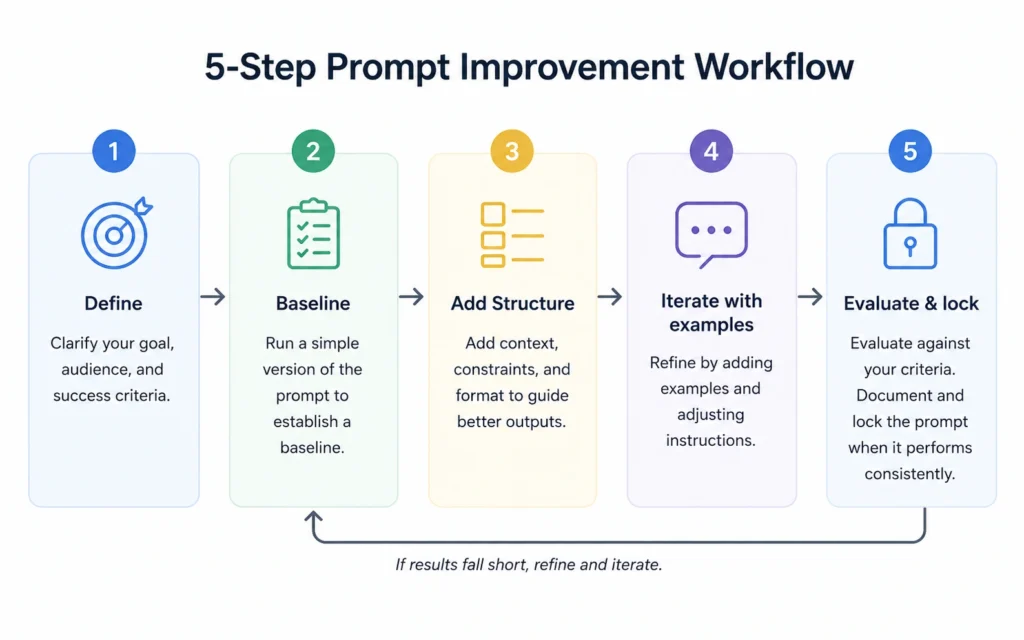
Use this exact sequence. Don’t skip the baseline—that’s where most people waste time guessing.
- Define the job and success criteria
- Write the exact task, audience, tone, length, and format.
- Define “good” as something you can check: “3-bullet summary under 90 words, no jargon, options ranked by cost.”
- If details are missing, instruct the model to ask up to three clarifying questions before answering.
- Run a baseline test
- Execute your current prompt in the model chat.
- Record: time to first output, number of edits, and minutes to reach usable quality.
- This baseline is your reference point for any change.
- Add structure with delimiters and constraints
- Put instructions first. Use ### or “”” to separate instructions from context.
- Specify length, format, and tone explicitly. Avoid fluffy language.
- Say what to do, not just what not to do.
- Iterate with few-shot examples and clarifying questions
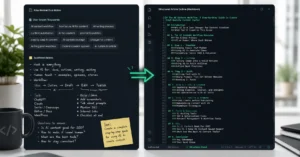
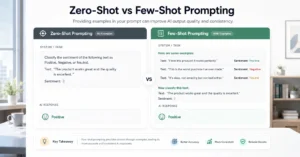
- Start with zero-shot. If format or quality misses, add 2–3 short examples of the desired output.
- Encourage the model to think step-by-step before concluding.
- For complex tasks, ask the model to identify weaknesses first, then propose solutions.
prompt structure template uses this exact pattern.
- Evaluate and lock the better prompt
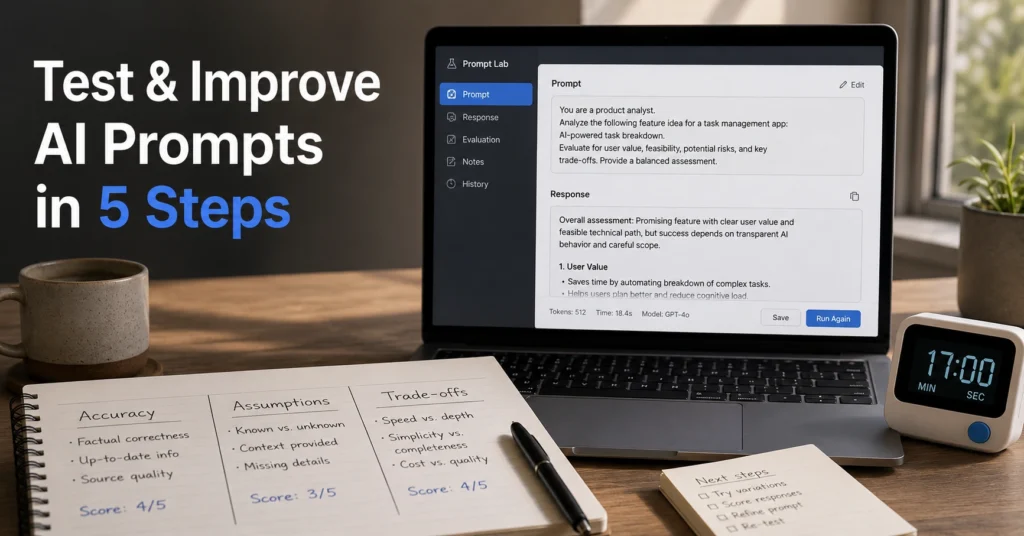
- Compare outputs using a simple rubric: accuracy > assumptions > trade-offs > tone.
- Keep the version that reduces edit minutes and maintains accuracy.
- Save it as a reusable template with a short name and version (e.g., “MarketingBrief_v2”).
few-shot examples guide shows how to write examples that survive real work.
The rubric ordering (accuracy > assumptions > trade-offs > tone) is a tested pattern that prevents tone from overriding correctness.
Tips & Examples that actually change output
Use these patterns to improve AI prompts quickly.
- Use delimiters to prevent confusion and injection risks. Wrap context in ### or “””.
- Articulate output format through examples. Show the structure you want, don’t just describe it.
- Encourage analysis. Ask the model to compare options and state assumptions before recommending.
- Clarify the format. Specify bullet count, word limits, and headings so the result is usable immediately.
- Avoid overloading the prompt. One task per prompt. If you need multiple steps, split them and get a plan before code or copy.
- Refine iteratively. Spend an extra 30 seconds refining the request before hitting enter—this small habit compounds.
Example: from vague to specific
- Vague: “Write a product description.”
- Specific: “Write a 90-word product description for a $29 ergonomic mouse. Audience: remote workers. Tone: direct, no jargon. Output: 3 bullets (benefit, spec, use case) + 1-sentence CTA. If details are missing, ask up to 3 clarifying questions first.”
This kind of specificity is what improves AI prompts in 2026.
Tools to use (and when they help)
You don’t need a full platform to start. Use the simplest tool that fits the job.
- For beginners: model chat + a simple spreadsheet rubric (columns: Accuracy, Assumptions, Trade-offs, Tone, Edit Minutes). This is enough to track improvement across iterations.
- For teams that share prompts: PromptLayer or Langfuse to version, organize, and review prompts the way engineers handle code.
- For rapid optimization: platforms like Maxim AI or PromptHub can test and optimize prompts end-to-end, but they’re only worth it if you run many prompts daily.
- For one-click prompt improvement: Ninja AI offers a prompt improver that turns rough guiding text into clearer prompts for marketing, writing, and research.
Pick the tool that reduces edit minutes or speeds up iteration. If it adds overhead without measurable gains, it’s not saving work.
Common mistakes that waste time (and how to avoid them)
- Vagueness. The biggest pitfall—unspecified audience, format, or success criteria. Fix: define the job and success criteria first.
- Overloading requests. Too many tasks in one prompt. Fix: split into steps and get a plan before output.
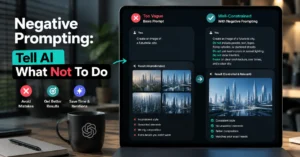
- Negative constraints only. Saying what not to do without saying what to do. Fix: state the desired action explicitly.
- Ignoring output format.结果是 hard to use. Fix: specify length, bullets, headings, and give 2–3 examples.
- Treating output as final. AI output is draft quality. Fix: treat review like code review; refine iteratively.
When to stop iterating
Stop when you’ve hit your success criteria for two consecutive runs. If you still need edits, either the task is too complex for one prompt or your examples are weak. Split the task or add better few-shot examples before adding more constraints.
FAQ: Frequently Asked Questions About improve AI prompts
How do I improve AI prompts quickly?
Start by defining the job and success criteria, then add delimiters and constraints, ask the model to clarify before answering if details are missing, and iterate with 2–3 few-shot examples. Save the winning version as a template.
What’s the fastest way to test a prompt?
Run a baseline test with your current prompt, record time and edit minutes, then compare against a revised version that adds structure and examples. The faster path to usable output wins, not the flashier one.
Should I use zero-shot or few-shot prompting?
Start with zero-shot. If it doesn’t hit the format or quality, add 2–3 few-shot examples. Fine-tune only if you repeat the task daily and need consistent output at scale.
What tools help me test and improve AI prompts in 2026?
Use prompt management tools like PromptLayer or Langfuse to version and share prompts, and platforms like Maxim AI or PromptHub to test and optimize. For most beginners, a simple spreadsheet rubric plus the model’s native chat is enough to start.
CONTINUE EXPLORING
- AI Tools hub — Go deeper into the full AI workflow and see how prompt engineering fits into real productivity gains.