Learning how to grow on instagram is not difficult because the creative principles are mysterious. It is difficult because most industry advice treats growth as an inspirational phenomenon instead of a cold data sorting process. Many creators sink dozens of hours into tracking trending audio files or editing fast transitions, only to watch their reach flatten out after a few hundred views.
The mechanism behind sustainable distribution has changed. In the current platform layout, your visibility depends on explicit behavioral signals: watch time completion, private direct message (DM) shares, and structural keyword indexation. If you are still relying on generic engagement tactics from several years ago, your channel will fall behind.
This how to grow on instagram guide breaks down the exact operational steps required to build a repeatable production system, optimize your assets for search discovery, and secure predictable growth.
Overview: What Instagram Growth Rewards—and What It Punishes
The platform’s distribution architecture has moved completely away from surface-level engagement ratios like passive double-taps. The metric framework now prioritizes absolute value and unified “Views” across all content types—including carousels, stories, photos, and Reels. To scale a channel, you must understand the rules of the sorting engines that dictate non-follower reach.
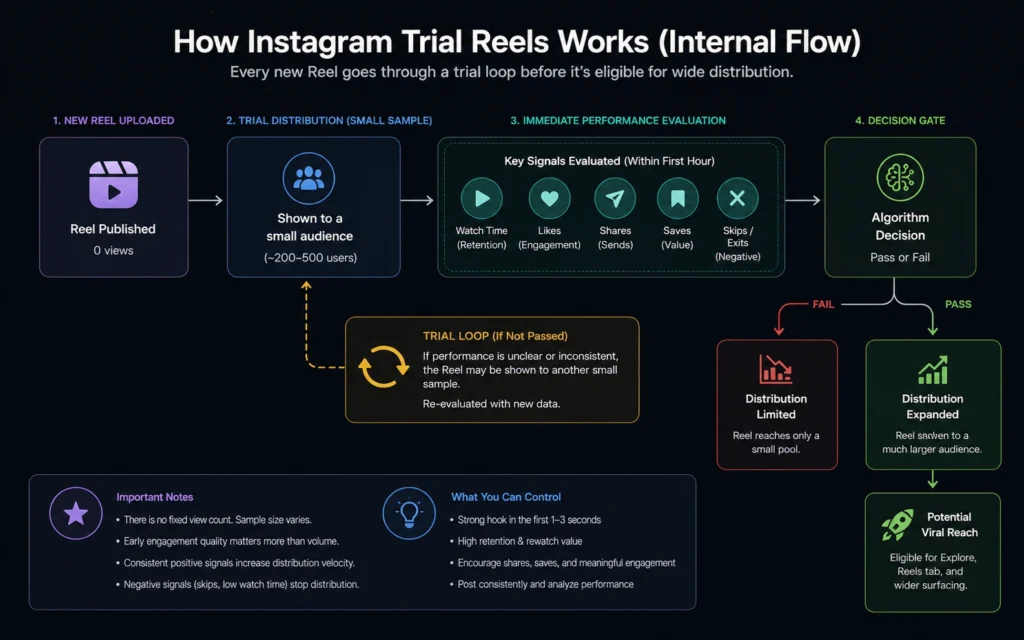
The underlying algorithm evaluates every piece of content through an isolated verification pipeline known as a trial audience loop. When you upload a video, it is initially shown to a small sample group of non-followers who have demonstrated a clear interest in your specific niche topics.
If this test group passes key retention thresholds, your asset is pushed into wider distribution loops across the Explore tab and the main recommendations grid.
[Algorithmic Distribution Loop Pipeline]
Upload Post → Test Group (Trial Audience) → Retention Verification → Global Distribution
The Heavy-Weight Signals
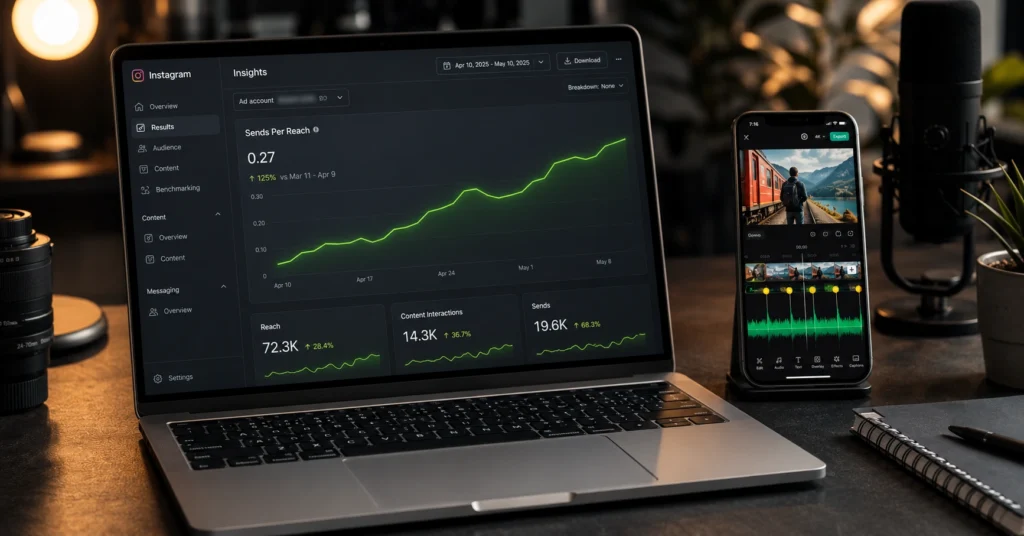
Three primary performance metrics govern recommendation priorities. The single most important signal is Sends Per Reach—the percentage of viewers who share your post via direct message to a friend. A high share volume tells the platform that your asset possesses genuine utility.
The secondary metric is Watch Time and Completion Rate, specifically whether a viewer stays through your entire video or hits replay. The final factor is Saves, which registers that your content has long-term reference value.
The Aggregator Penalty
Conversely, the platform heavily punishes unoriginality. Under direct platform documentation updates, any profile that repeatedly reposts watermarked media, unedited video assets, or unoriginal imagery without adding distinct value is systematically stripped of recommendation eligibility.
If more than ten posts in a rolling 30-day window are flagged as unoriginal, your account is excluded from appearing to non-followers across the entire app. Growth rewards producers who build distinct assets and punishes accounts that operate as simple curation scrapbooks.
Step-by-Step Guide: The Repeatable Growth Blueprint
To build a growing audience, you need to turn raw ideas into structured assets that satisfy both human interest and machine indexing engines. Follow this precise execution sequence to clear out your account’s technical blockages and construct high-performance content.
Step 1: Establish Your Core Topic Anchor
The algorithm reads your on-screen visual elements, spoken audio tracks, and caption structures using advanced AI-driven content recognition systems. If you post a cooking video on Monday, a design tutorial on Wednesday, and a travel vlog on Friday, the platform fails to build a consistent semantic profile for your account.
It cannot determine who your target trial audience should be, resulting in low reach scores during the initial sample phase.
Pick one clear macro topic and stick to it for at least 60 days. Your bio, handles, and opening video hooks must all support this anchor theme. This consistency allows the interest-sorting engine to identify exactly which consumer segment will interact best with your material.
Step 2: Configure a High-Conversion Profile Layout
Your profile page functions as your core sales page. If a casual viewer lands on your page from a viral Reel and cannot immediately decipher what you build, they will leave without hitting the follow button.
- The Handle: Keep it clean, searchable, and completely free of confusing punctuation strings or duplicate numbers.
- The Bio Line: State your primary offer within the first 65 characters. Use an explicit statement that answers what the reader gains by staying.
- The Keyword Search Anchor: Add your primary category phrase directly into your name field—separate from your username. This makes your account discoverable when users type search terms into the explore search bar.
Step 3: Script Your Videos for Early Retention
You have exactly three seconds to stop a user from scrolling past your video. Your opening phrase must present a sharp hook that addresses a core problem or introduces a compelling visual pattern interruption.
Never open your audio with standard greetings or empty introductory statements. Lead with the core conclusion or a stark contradiction, then spend the remainder of the clip detailing the execution steps. Keep your pacing brisk by cutting out trailing syllables and long breaths during post-production.
Step 4: Write Captions for Semantic Search Engines
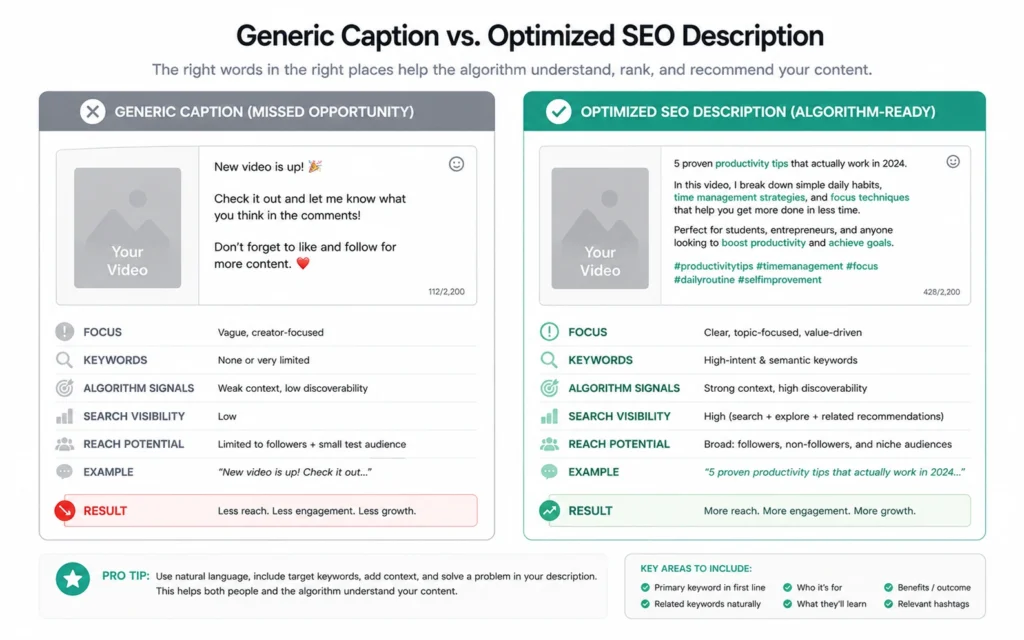
Instagram functions like a traditional search engine. The app scans text structures to understand context, meaning keyword-stuffed tag clouds are no longer effective.
Write clear descriptive copy using natural language. Place your primary keyword in the initial 100 words of the text block. Use bulleted breakdowns to outline your steps clearly, making the text easy to read and highly saveable.
[Semantic Caption Structure Example]
[Primary Keyword Phrase Open]
Here is the exact method used to solve [Problem Topic].

[Action Step Breakdown]
1. Isolate the core variable...
2. Clean the database nodes...
3. Verify output logs...

[Niche Hashtag Row]
#nichekeyword #specifictool #workflowterm
Step 5: Clean Up Historical Data Penalties
If your account has been active for years, it may be held back by old content that violates current distribution standards. Go through your historical catalog and remove low-resolution clips, assets containing watermarks from other video platforms, and posts that generated zero engagement. Clearing out these negative signals resets your base account score, allowing new uploads to pass cleanly into the recommendation pools.
Tips & Examples: High-Retention Frameworks to Replicate
The absolute numbers don’t lie: structural framing beats raw inspiration every single time. To execute these ways to grow on instagram effectively, look at how top-performing creators format their visual assets to generate high share and save volumes.
The Reference Guide Framework
This approach targets high save counts by organizing dense, valuable information into a clean, multi-slide format. It works exceptionally well because users save the post to reference the information later when they are back at their desks.
- Slide 1: A clean, bold title showcasing a complete solution to a common problem.
- Slides 2–4: Step-by-step wireframes, code blocks, or checklists detailing exact workflows.
- Slide 5: A summary checklist encouraging the viewer to save the asset for reference during their next work session.
The Real-World Pattern Interruption
This technique keeps video viewers hooked by using unexpected visuals right at the start. Instead of sitting behind a clean studio desk, start your clip with a close-up camera angle tracking a moving pen, a screen showing real-time code errors, or a physical demonstration of a product flaw.
This immediate action creates a curiosity gap, causing the user’s brain to pause and watch the first ten seconds to understand the context.
Tools to Use: The Lean Production Tech Stack
To run this workflow consistently, you need specialized software built for speed and precision. Avoid overcomplicating your process with heavy desktop suites when you are starting out; use these targeted applications to maintain clean output.
Essential Production Software
| Tool Category | Recommended Application | Primary Workflow Purpose | Real-World Benefit |
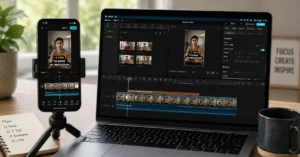
| Video Editing | CapCut / DaVinci Resolve | Precise timeline cuts, automated dynamic captions, and speed ramping adjustments. | Eliminates dead air quickly to protect critical early retention. |
| Asset Design | Canva | Designing clean carousel layouts and custom grid cover templates. | Maintains a professional, high-contrast look across your primary page grid. |
| Data Analysis | Native Instagram Insights | Reviewing watch-time drop-off logs and tracking your Sends Per Reach metrics. | Identifies exactly where viewers lose interest in your script. |
| Scheduling | Meta Business Suite | Scheduling your carousels and Reels up to 75 days in advance natively. | Protects your publishing consistency without relying on complex third-party tools. |
Common Questions About Growing on Instagram
Why is my reach suddenly stuck at 200 views?
When your content is stuck at a low view count, it means your asset failed to clear the initial trial audience loop. The platform pushed your video to a small test group of non-followers, but the average watch time dropped off during the first three seconds, or the post failed to generate any direct message shares. Review your opening hooks and speed up your editing pace to fix this drop-off.
Should I delete and re-upload a post if it performs poorly?
No, deleting and re-uploading identical files can flag your profile for spam behaviors within automated safety systems. If an asset underperforms, leave it up, analyze your watch-time drop-off charts to see where viewers left, adjust your hook script, and apply those corrections to your next unique video.
Do hashtags still matter for growth?
Yes, but their role has shifted from broad discoverability to precise account categorization. Limit your tags to three to five highly relevant keywords that describe your specific niche. Flooding your caption with 30 generic tags confuses the platform’s AI engines and dilutes your audience targeting.
What is the ideal video length for Reels?
For rapid growth, keep your videos tight and punchy—between 5 and 15 seconds long—to hit high completion rates. If you are delivering deep technical tutorials, you can run your content up to three minutes, provided your visual pacing changes every four seconds to keep viewers engaged.
Continue Exploring
- complete Instagram creator playbook — Dig into our end-to-end publishing guide to align your distribution schedules and monetization streams.