

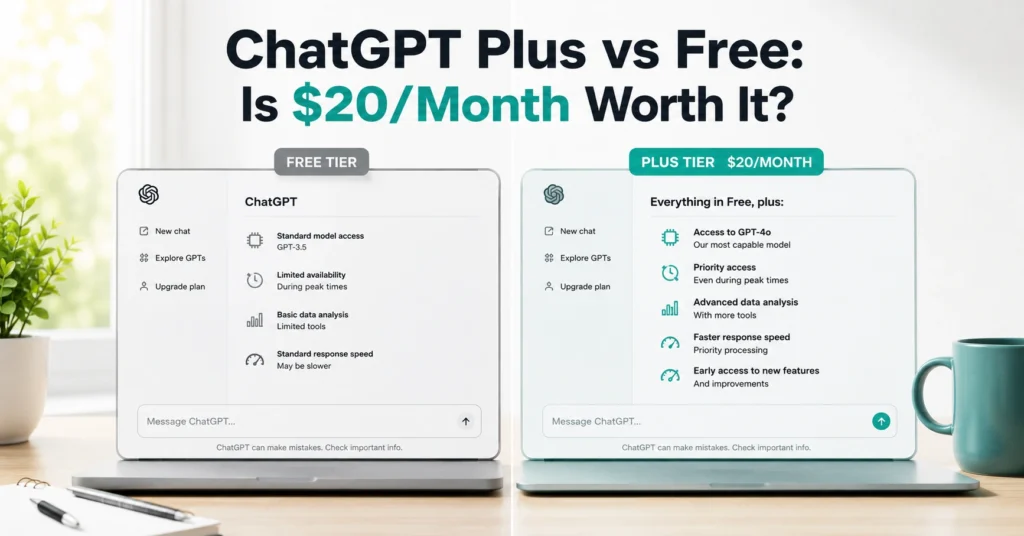
Most people don’t need ChatGPT Plus. But if you’re already hitting message limits mid-task, getting downgraded to a slower model during busy hours, or trying to build your own Custom GPT, the Free version will feel like a wall. I’ve tested both tiers on real work for 6 months — writing blog drafts, analyzing spreadsheets, and running deep research — and the difference isn’t just “more features.” It’s about whether the tool supports your actual workflow or interrupts it.
This post answers one question: Is ChatGPT Plus worth it for you? You’ll get a clear decision grid, real usage limits, and a 3-step test to try before paying. No hype, no “AI will change everything” — just what changes when you upgrade and who should actually pull the trigger.
What ChatGPT Free Actually Gets You in 2026
ChatGPT Free is not a stripped-down demo. It gives you:
- Access to GPT-5.3 (the flagship model) with standard limits
- 10 messages every 5 hours, then downgraded to GPT-5.3 mini
- 5 images per day
- 3 file uploads per day
- 5 deep research queries per month
- Canvas, Projects, and Study & Learn mode
- Access to Custom GPTs from the GPT Store (but you can’t create your own)
For students, occasional writers, and people who use AI for quick drafts or answers, this is enough. I’ve used Free for first-pass outlines, email drafts, and simple code fixes without hitting a wall.
Here’s the catch: once you cross into heavy use — long documents, repeated data analysis, or multi-step research — the limits start to break your flow. After 10 messages, you’re on mini. After 3 files, you can’t upload more. After 5 deep researches/month, you’re done until next month.
That’s where the real cost isn’t money — it’s attention. You stop mid-task, wait, restart, or switch tools.
What ChatGPT Plus Adds That Changes the Workflow
ChatGPT Plus costs $20/month and adds:
The biggest shift isn’t “more everything.” It’s three specific capabilities:
- Extended context and higher limits — you can work on longer documents without losing thread.
- Agent Mode and Codex — the AI can run multi-step tasks and write/fix code autonomously.
- Custom GPT creation — you build specialized assistants for your repeated tasks.
For professionals who use ChatGPT daily, these aren’t nice-to-haves. They’re the difference between AI as a toy and AI as part of your workflow.
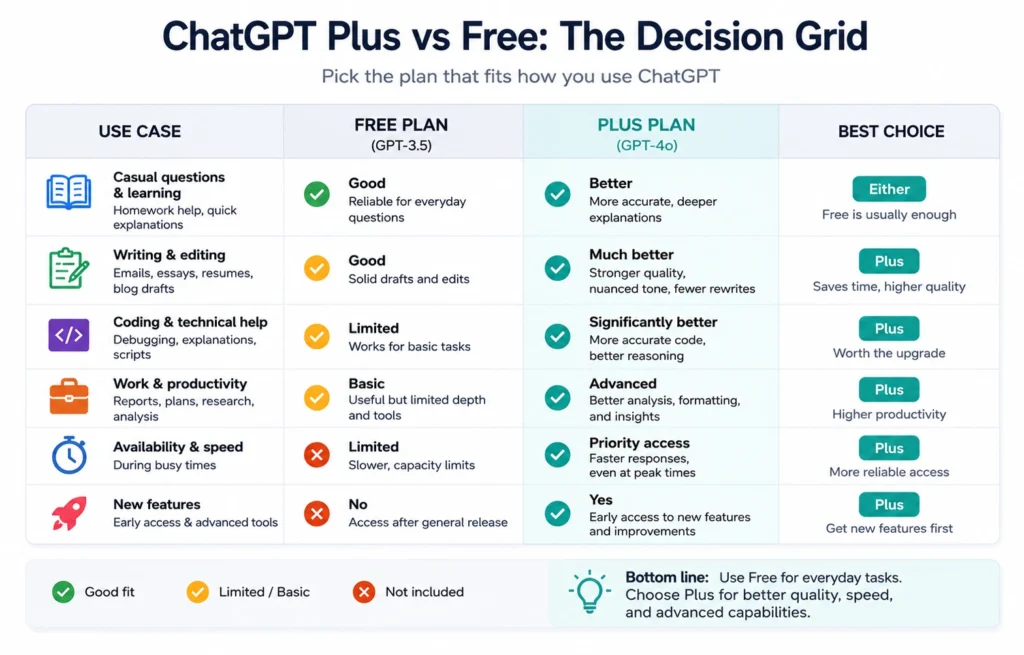
chatgpt plus vs free: the decision grid
You don’t upgrade because of features. You upgrade because your current tier blocks your work.
Use this grid:
| You are… | Stick with Free if… | Upgrade to Plus if… |
|---|---|---|
| Student / casual user | You mainly do homework, quick drafts, occasional research | You regularly hit message limits or need deep research for papers |
| Writer / marketer | You draft 1–2 pieces/week and edit manually | You produce daily content, repurpose across channels, or need fast iteration |
| Developer | You ask short coding questions, fix small bugs | You work on large codebases, need Codex, or automate testing/builds |
| Analyst / researcher | You analyze small datasets, run occasional research | You run deep research, analyze spreadsheets, or build reports regularly |
| Founder / operator | You use AI for occasional decisions | You use AI daily for planning, research, automation, and team tasks |
Blunt verdict: If you’re using ChatGPT more than 3 times a week for work, you’ll hit Free limits within a month. At that point, Plus is cheaper than the time you’re losing.
Step-by-Step: How to Test if Plus Is Worth It for You
Don’t upgrade on guesswork. Run this 3-step test over 3–5 days.
Step 1: Track your Free usage for 3 days
Note:
- How many messages you send per session
- How often you hit “you’ve reached the limit”
- How many files you try to upload
- How many deep research queries you need
If you hit any of these more than twice in 3 days, you’re a Plus candidate.
Step 2: Try a Plus-only task on Free (and note the friction)
Pick one of these:
- Upload a 10-page PDF and ask for a structured summary
- Run a deep research query on a recent event
- Ask for a Custom GPT idea and try to build it
On Free, you’ll hit file limits, research limits, or the “you can’t create GPTs” wall. Write down how much time you lose or how you work around it.
Step 3: Calculate your real cost
Time cost = (minutes lost per week) × (your hourly rate)
If you lose 30 minutes/week and your time is worth $30/hour, that’s $15/week or ~$60/month. Plus costs $20/month. The math is clear.
I once spent 45 minutes mid-week trying to analyze a client spreadsheet because I’d hit the 3-file limit. That hour of frustration paid for 2 months of Plus.
Tips & Examples: How to Use Plus Features Without Wasting Money
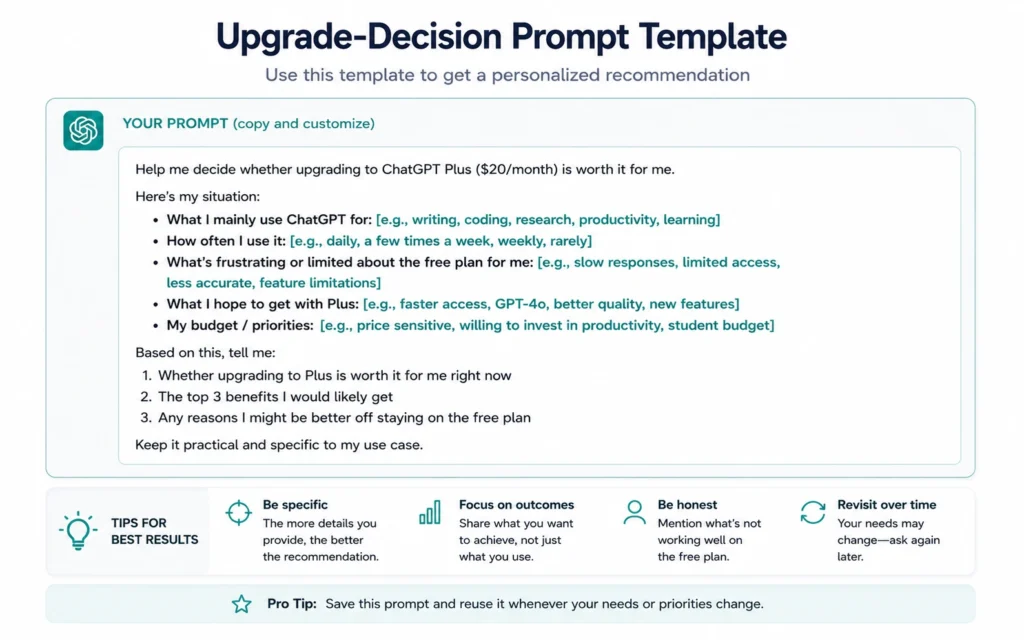
Getting Plus doesn’t automatically make you productive. You still need to use the right features for your job.
Use Custom GPTs for your repeat tasks
Don’t ask the same prompting questions every time. Build a Custom GPT for:
- SEO briefs (if you’re a content creator)
- Code review for your stack
- Research summaries in your niche
- Email drafts in your tone
Once built, you’ll use it daily. That’s where the $20/month becomes obvious value.
Use Agent Mode for admin-heavy work
Agent Mode can:
- Gather data from multiple sites
- Build spreadsheets
- Create travel itineraries
- Summarize competitor pages
Plus users get 40 Agent messages/month. I use them for:
- Weekly industry scans
- Competitor feature comparisons
- Cleaning and structuring messy data
It’s not perfect, but it saves 2–3 hours/week on admin.
Use Codex only if you code regularly
Codex is a software engineering agent that can:
- Analyze code
- Fix bugs
- Write new code from text instructions
- Handle recursion errors, truncation, and larger codebases
If you don’t write code, you don’t need this. If you do, it’s often worth the upgrade alone.
Don’t overuse image generation or video
Plus gives you higher limits for DALL·E 3 and Sora video, but:
- 5 images/day on Free is enough for most content
- Video generation is still early-stage and variable quality
Don’t upgrade just for images unless you’re producing visuals daily.
![Example prompt for testing ChatGPT features before upgrading]
Where ChatGPT Plus Still Falls Short (and What to Do Instead)
Plus isn’t perfect. Here’s where it disappoints:
- 40-message Agent limit — heavy automation users will hit it fast. Pro gives 400.
- Deep research still hallucinates — always verify sources.
- Peak-time slowdowns still happen — just less often than Free.
- Codex usage limits vary — cloud vs local, model-dependent.
If you need near-unlimited access, advanced team features, or higher Agent limits, consider ChatGPT Pro at $200/month — but only if you’re a power user or small team.
For most people, the upgrade path is:
Free → Plus → (only if needed) Pro or Business.
Cost Breakdown: What $20/Month Actually Buys You
Let’s be precise.
ChatGPT Plus: $20/month
You get:
- ~28× more messages per window (160 vs 10)
- 40× more deep research (25 vs 5/month)
- 40× more image generation (200 vs 5/day)
- Custom GPT creation
- Agent Mode (40 messages/month)
- Codex
- Priority access during peak times
Time saved:
If Plus saves you 1 hour/week of waiting, re-doing work, or working around limits, and your time is worth $20/hour, you break even. Most professionals save more than that.
Hidden cost:
You’ll be tempted to use Agent Mode and Codex for everything. Don’t. Use them for repeatable, high-friction tasks, not for every question.
Final Recommendation: Who Should Upgrade (and Who Shouldn’t)
Upgrade to ChatGPT Plus if:
- You use ChatGPT 3+ times/week for work
- You regularly hit message or file limits
- You need Custom GPTs for your repeat tasks
- You do deep research, data analysis, or coding regularly
- You want Agent Mode for admin-heavy workflows
Stay on Free if:
- You use ChatGPT occasionally (1–2 times/week)
- You mainly do light writing, quick answers, or simple code checks
- You’re on a tight budget and can work around limits
- You don’t need Custom GPTs, Agent Mode, or Codex
I started on Free for 4 months. Once I hit the message limit mid-draft for the third time, I upgraded. The upgrade paid for itself in the first week by removing friction.
Frequently Asked Questions About ChatGPT Plus vs Free
Is ChatGPT Plus worth it in 2026?
ChatGPT Plus is worth it if you use ChatGPT daily, need higher message limits, want to create Custom GPTs, or rely on Agent Mode and Codex. For casual use, Free is often enough.
What’s the main difference between ChatGPT Free and Plus?
Plus gives you higher usage limits, access to advanced models (GPT-5.4 Extended), Custom GPT creation, Agent Mode, Codex, more deep research queries, and faster response during peak times.
How much does ChatGPT Plus cost?
ChatGPT Plus costs $20/month. There’s also a Pro tier at $200/month for nearly unlimited access and advanced features.
Can Free users create Custom GPTs?
No. Free users can use Custom GPTs from the GPT Store, but only Plus subscribers can create and share their own Custom GPTs.
CONTINUE EXPLORING
- How to Use ChatGPT: Complete Guide — This takes you deeper into practical ChatGPT workflows, prompts, and setup steps.
- Prompt Engineering Basics for Beginners — Learn how to frame prompts that get better outputs, whether you’re on Free or Plus.











