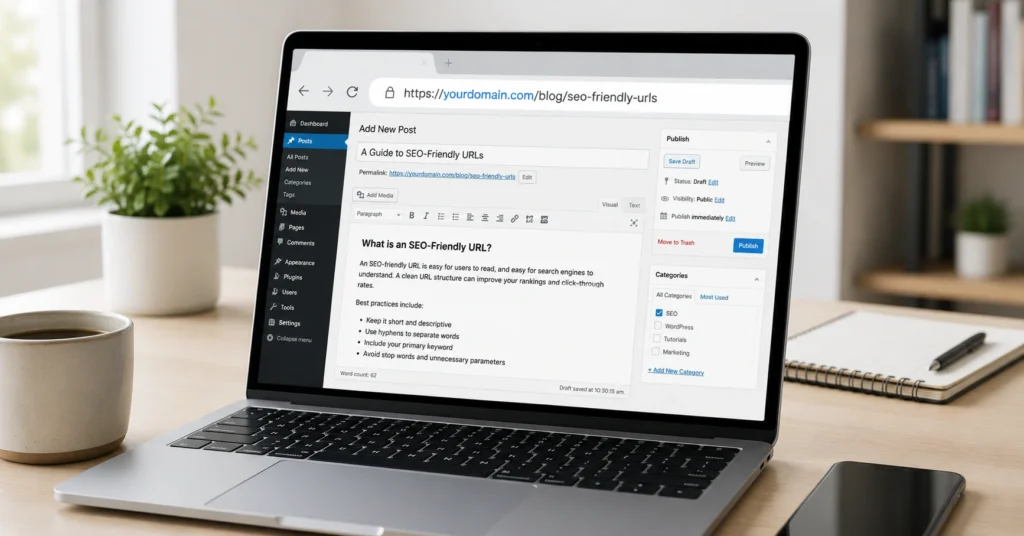
An SEO friendly URL does three things: tells users what the page is about before they click, helps search engines understand the topic without parsing the entire page, and avoids technical problems that create duplicate content. Most URL advice focuses on keyword stuffing or arbitrary length rules. That’s backwards. The URL’s job is clarity, not optimization theater.
I’ve audited over 200 sites in the past three years, and URL structure problems show up in about 60% of them. Not catastrophic issues—just missed opportunities and avoidable friction. The fix usually takes less than an hour once you know what to look for.
This post covers the URL decisions that affect rankings and traffic, the mistakes that create indexing problems, and the specific workflow to fix or prevent them. You’ll leave with a checklist you can apply to your next page or use to audit existing URLs.
What makes a URL actually SEO-friendly
A URL becomes SEO friendly when it removes friction for both users and search engines. Google confirmed years ago that URL structure is a minor ranking factor, but the real impact comes from click-through rates and crawlability.
Here’s what matters:
Clarity over cleverness. Your URL should describe the page content in plain language. /seo-friendly-urls-best-practices-for-2026/ tells you exactly what you’re getting. /p=12345 or /category/post-id-847/ tells you nothing.
Brevity without losing meaning. Short URLs are easier to share, easier to read in search results, and less likely to get truncated. But don’t sacrifice clarity for brevity. /seo/urls is too vague. /seo-friendly-url-structure-guide/ is specific enough without being bloated.
Hyphens, not underscores. Google treats hyphens as word separators. Underscores connect words. So seo-friendly-urls reads as three separate words. seo_friendly_urls reads as one long word. This matters for how Google parses and understands your topic.
Lowercase only. Servers treat /SEO-Friendly-URLs and /seo-friendly-urls as different pages. This creates duplicate content problems and splits your ranking signals. Pick lowercase and stick with it everywhere.
No unnecessary parameters. Session IDs, tracking codes, and sort parameters create infinite URL variations of the same page. Use canonical tags to tell Google which version to index, but better yet—clean up the URL structure at the source.
The trade-off: Perfect URLs require planning upfront. If you’re working with an existing site, you’ll need to decide whether changing URLs is worth the redirect work and temporary ranking fluctuation. For new content, get it right the first time. For old content with existing traffic, only change URLs if the current structure is actively harmful.
The URL checklist that actually matters
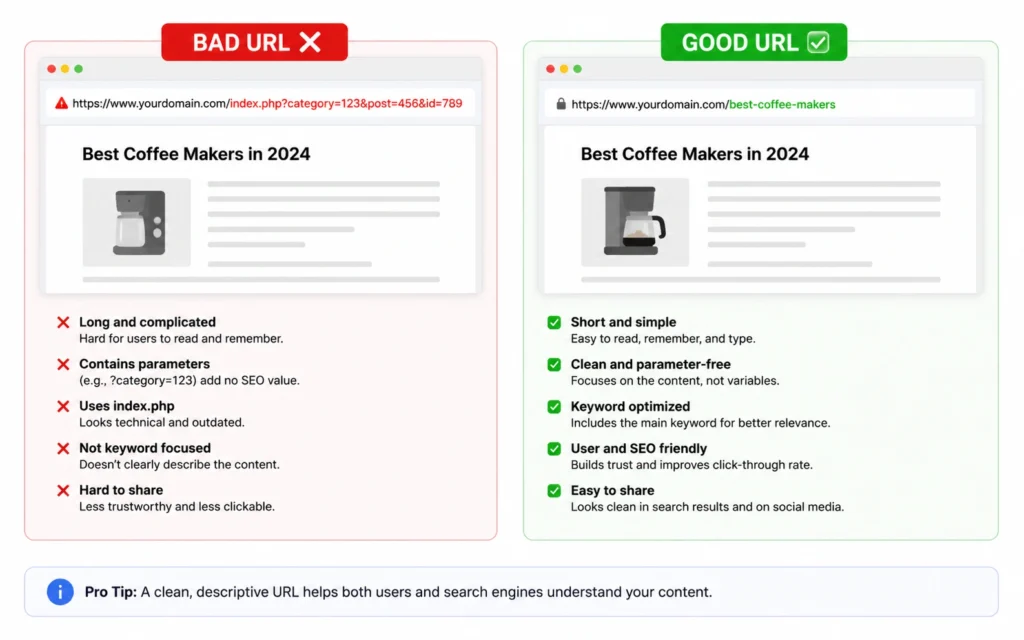
Stop debating whether URLs matter and start using this checklist. Every page you publish should pass these five tests:
1. One primary keyword, naturally placed
Your URL should contain the main keyword for the page—once. Not three variations. Not the keyword plus synonyms. Just the primary term that describes what the page is actually about.
If you’re writing about “SEO friendly URLs,” the URL /seo-friendly-urls/ works. /seo-friendly-urls-best-practices-guide-tips-2026/ is keyword stuffing dressed up as optimization.
2. Three to five words maximum
Longer URLs get cut off in search results, look spammy when shared, and create more opportunities for typos when someone types them manually.
Good: /on-page-seo-guide/ Bad: /complete-guide-to-on-page-seo-optimization-techniques-for-2026/
The second URL isn’t wrong, but it’s doing too much. The page content can cover everything. The URL just needs to identify the topic.
3. No stop words unless essential
Remove words like “and,” “the,” “of,” “a,” “an,” “in,” “on,” “for”—unless removing them makes the URL confusing.
/best-practices-for-seo-friendly-urls/ becomes /seo-friendly-urls-best-practices/ /guide-to-keyword-research/ becomes /keyword-research-guide/
But don’t get aggressive. /seo-urls loses meaning compared to /seo-friendly-urls/.
4. No dates or version numbers (usually)
Including 2026 in your URL seems smart until 2027 rolls around and your “evergreen” content looks dated. Update the content, keep the URL.
Exception: News, annual reports, or genuinely time-sensitive content where the year is part of the topic. /2026-seo-trends/ makes sense. /best-seo-practices-2026/ doesn’t.
5. Matches your site’s hierarchy
Your URL structure should reflect how your site is organized. If you have categories, use them consistently.
Blog post: /blog/seo-friendly-urls/ Product page: /products/seo-tools/ Documentation: /docs/api-reference/
Don’t mix patterns. Don’t put some blog posts under /blog/ and others at the root. Consistency helps users and search engines understand your site structure.
How to structure URLs for different page types
Not every page needs the same URL pattern. Match the structure to the content type and user intent.
Blog posts and articles
Use: /blog/[primary-keyword]/ or /[category]/[primary-keyword]/
Example: /blog/seo-friendly-urls/ or /on-page-seo/urls/
Keep category depth to one level max. /blog/on-page-seo/technical-seo/urls/ is too nested. Users won’t remember it, and it creates unnecessary complexity.
Product or service pages
Use: /products/[product-name]/ or /services/[service-name]/
Example: /products/seo-audit-tool/
Include the product name, not a generic descriptor. /products/seo-tool/ could be anything. /products/rank-tracker/ is specific.
Category and archive pages
Use: /[category-name]/ or /blog/category/[category-name]/
Example: /on-page-seo/ or /blog/category/on-page-seo/
These pages target broader topics. The URL should reflect that scope without being vague.
Documentation and help pages
Use: /docs/[topic]/ or /help/[topic]/
Example: /docs/url-structure/
Documentation needs clear, stable URLs. Don’t change these once published—people bookmark them and link to them from external sites.
Location pages (local SEO)
Use: /locations/[city]-[state]/ or /[service]-[city]/
Example: /locations/austin-tx/ or /seo-services-austin/
Include the location name exactly as people search for it. “New York” not “NYC” if that’s what your audience uses.
Common URL mistakes that hurt rankings
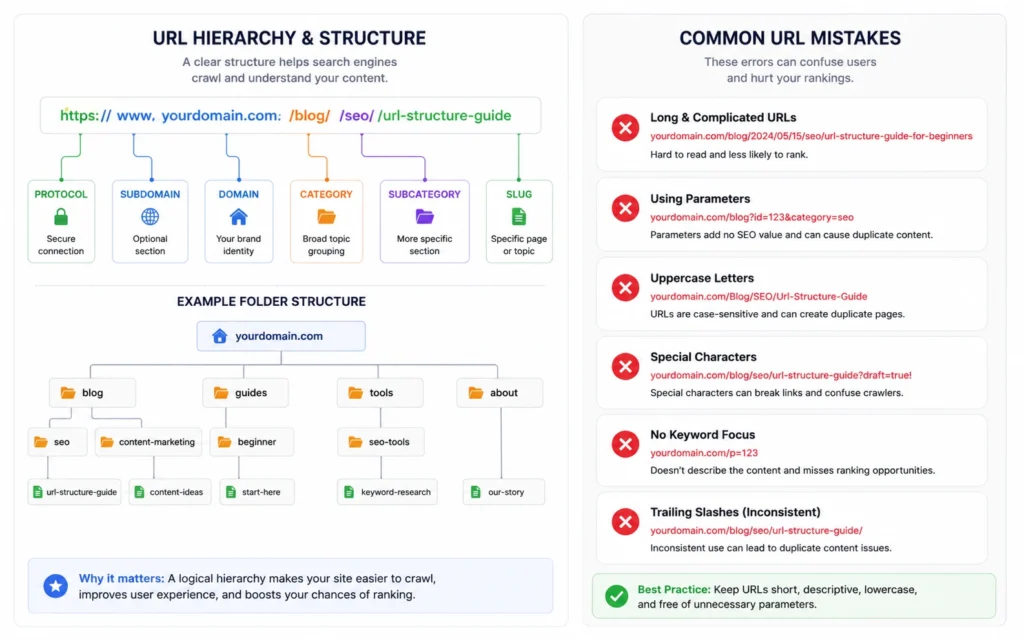
These mistakes show up constantly in site audits. Most are easy to fix once you spot them.
Mistake 1: Changing URLs without redirects
You update a URL from /old-page/ to /new-page/ and forget the 301 redirect. Result: 404 errors, lost rankings, broken backlinks, angry users.
Fix: Always set up a 301 redirect when changing a URL. Test it. Verify it’s working before announcing the change.
Mistake 2: Auto-generating URLs from titles
Your CMS takes “The Ultimate Guide to SEO-Friendly URLs: 15 Best Practices for 2026” and creates /the-ultimate-guide-to-seo-friendly-urls-15-best-practices-for-2026/
That’s 17 words. It’s ridiculous.
Fix: Override auto-generated slugs. Manually set URLs to 3-5 words that capture the topic without the fluff.
Mistake 3: Using uppercase letters inconsistently
Some pages use /SEO-Friendly-URLs/, others use /seo-friendly-urls/. Your server treats these as different pages.
Fix: Enforce lowercase everywhere. Set up server rules to redirect uppercase URLs to lowercase versions.
Mistake 4: Including unnecessary subfolders
/2026/06/13/blog/category/on-page-seo/seo-friendly-urls/
This is a blog post, not a filing cabinet. The date, category depth, and “blog” prefix create a URL that’s longer than the content deserves.
Fix: Flatten your structure. /blog/seo-friendly-urls/ or just /seo-friendly-urls/ if that fits your site architecture.
Mistake 5: Creating duplicate content with parameters
/products/seo-tool/?sort=price&filter=premium&session=abc123
Each parameter variation creates a “new” URL for the same content. Google has to decide which version to index, and you risk splitting ranking signals.
Fix: Use canonical tags to point to the preferred URL. Better: remove unnecessary parameters from the URL structure entirely.
When to change existing URLs (and when not to)
You’ve published a page. The URL isn’t perfect. Should you change it?
Change the URL if:
- It contains sensitive information (customer names, internal codes)
- It’s so long it gets truncated in search results
- It uses the wrong domain or protocol (HTTP instead of HTTPS)
- It has no traffic and no backlinks
- The current URL is actively confusing or misleading
Don’t change the URL if:
- The page ranks well and gets organic traffic
- Other sites link to it
- It’s been indexed for more than 6 months
- The only problem is minor (one extra word, a stop word you’d like to remove)
The cost of changing a URL isn’t just the redirect setup. It’s the ranking fluctuation while Google reprocesses the page. It’s the risk of redirect chains breaking. It’s the time spent updating internal links.
If the URL works and the page performs, leave it alone. Optimize your next page instead.
Tools that make URL management easier
You don’t need expensive software to create good URLs, but a few tools help you avoid mistakes and scale the process.
Screaming Frog (free up to 500 URLs): Crawl your site and export all URLs. Filter by length, check for uppercase letters, find duplicate content issues. I use this on every site audit.
Google Search Console: The Coverage report shows URL errors—404s, redirect chains, canonicalization problems. Fix these before they hurt rankings.
Your CMS slug field: WordPress, Webflow, Shopify—they all let you customize URLs. Don’t skip this step. The auto-generated slug is almost always too long.
Redirect plugins: If you’re on WordPress, Redirection or Yoast SEO Premium handle 301 redirects without touching server files. Test every redirect.
The workflow: Before publishing, write the URL manually. After publishing, verify it in Search Console. Quarterly, crawl your site and fix structural problems.
Frequently Asked Questions About SEO Friendly URLs
Do URLs still matter for SEO in 2026?
Yes, but as a minor ranking factor. URLs matter more for click-through rates and user experience than direct ranking power. A clear URL helps users understand what they’re clicking on before they visit the page.
Should I include my target keyword in the URL?
Yes, but only once and only if it fits naturally. Don’t force keywords or stuff multiple variations. The URL should describe the page topic clearly, not serve as a keyword container.
Is it better to use hyphens or underscores in URLs?
Always use hyphens. Google treats hyphens as word separators but underscores as connectors. So ‘seo-friendly-urls’ reads as three words, while ‘seo_friendly_urls’ reads as one long word.
Can I change URLs after publishing a page?
You can, but you must set up a 301 redirect from the old URL to the new one. Without a redirect, you’ll lose any existing rankings and backlinks. Only change URLs if the SEO benefit clearly outweighs the risk.
How long should an SEO friendly URL be?
Aim for 3-5 words or 50-60 characters maximum. Shorter URLs are easier to share, less likely to get truncated in search results, and look cleaner when copied. But don’t sacrifice clarity for brevity.
Continue Exploring
- Once you’ve nailed your URL structure, move to the next piece of on-page SEO with our on-page SEO checklist that covers headings, content optimization, and internal linking. For deeper technical work, learn how to fix crawl errors that prevent Google from indexing your pages properly.