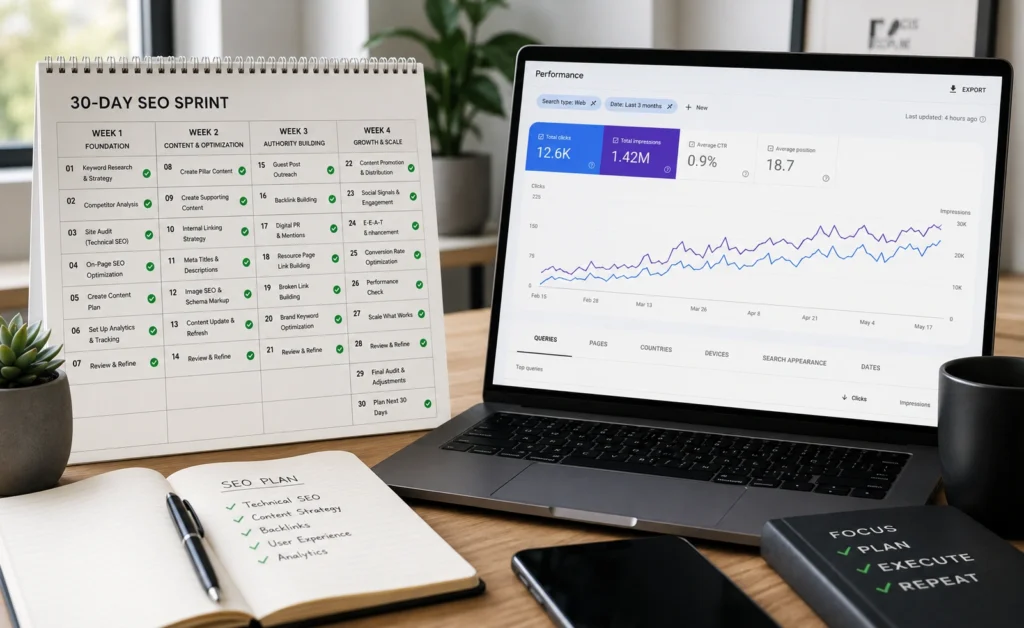
Learning SEO for beginners is not difficult because the underlying core concepts are hard to grasp. It is difficult because most introductory advice collapses the actual, mechanical process into empty slogans like “write high-quality content.” Organic optimization is an interconnected technical system, not a creative lottery. If you approach search optimization as a series of disconnected tricks, your content will fail to build search traction.
To succeed in organic search, you must understand how a page earns the right to rank. Search engines do not rank websites based on style or enthusiasm. They match structured documents to explicit human queries based on technical crawlability, specific intent alignment, and verified topical trust signals.
This 30-day playbook strips away the abstract noise. It outlines a repeatable, day-by-day production framework that shows you exactly how to build indexation foundations, source low-competition search targets, and format pages that search crawlers can easily parse, index, and surface.
What SEO for beginners rewards — and what it punishes if you approach it badly
Organic search optimization rewards deep topical focus, crawl clarity, and a rigid refusal to produce generic pages. Most site rankings are lost before a single word is published because the author never verified if the page answers a specific, unserved consumer problem.
If you target massive, high-volume keyword strings on a brand-new domain, you are throwing away your resources. Established legacy sites with deep backlink profiles dominate those spaces. As a newcomer, you must specialize. Your goal is to secure small, uncontested keyword targets where your specific answer matches what a user types into a search bar.
The core sequence of intent-driven keyword research. Source: SEO Writing AI
Organic search results are an algorithmic reflection of digital organization. If your architecture is tangled, your visibility will remain flat.
The search ecosystem penalizes short-cut tactics severely. Attempting to artificially fill a page with unnatural repetitions of your target phrases or building low-grade automated backlinks will result in indexing penalties. In 2026, search algorithms isolate human utility with extreme precision. If a search crawler discovers that your site is built to capture search volume rather than serve human intent, your crawl footprint will contract.
Week 1: Establish your foundation and analytical data tracking
Your first seven days are focused entirely on system alignment. You cannot run a successful optimization program if you are blind to how search crawlers interact with your server architecture. Skip the fancy third-party premium dashboards for now. Your primary data pipeline must come directly from the source engines.
Day 1 to Day 3: Deploy essential diagnostic infrastructure
Begin by registering your domain with Google Search Console. This platform serves as your direct diagnostic window into the index. Verify your ownership using the DNS TXT record method rather than a simple layout tracking script—this ensures your collection captures all subdomain variations cleanly.
Once verified, generate an XML sitemap using your content engine tool and submit the raw file URL string (typically /sitemap.xml or /sitemap_index.xml) into the indexation submission portal.
Day 4 to Day 7: Install clean user tracking configurations
Install a privacy-compliant analytics layer like Google Analytics 4 or an open-source tool like Plausible. Your objective here is to capture baseline performance metrics. You must configure clean exclusion filters to isolate your own internal development team’s workspace traffic from real public impressions.
Verify that your platform correctly records user landing behavior, scroll depths, and explicit event click conversions across your primary operational landing paths.
Week 2: Execute programmatic keyword research based on search intent
The second week shifts away from configuration and moves directly into discovery. Successful keyword research requires you to move past raw traffic metrics and isolate the actual consumer problem hiding behind the text string.
                  ┌───────────────────────────────┐
                  │      Analyze Raw Search       │
                  │         String Entry          │
                  └───────────────┬───────────────┘
                                  │
         ┌────────────────────────┴────────────────────────┐
         ▼                                                 ▼
┌──────────────────┐                              ┌──────────────────┐
│   Informational  │                              │  Transactional   │
│      Intent      │                              │      Intent      │
├──────────────────┤                              ├──────────────────┤
│ User wants to    │                              │ User wants to    │
│ learn or solve a │                              │ acquire, test,   │
│ complex problem. │                              │ or buy a tool.   │
├──────────────────┤                              ├──────────────────┤
│ Build structural │                              │ Build prioritized│
│ resource guides, │                              │ feature arrays,  │
│ deep breakdowns. │                              │ direct pricing.  │
└──────────────────┘                              └──────────────────┘
Day 8 to Day 11: Identify long-tail questions
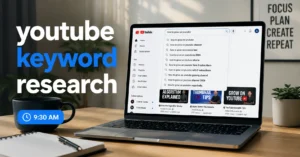
Open a basic research environment like Google Keyword Planner or AnswerThePublic. Enter your core industry niche topic. Filter your outputs to isolate multi-word long-tail queries (phrases containing four or more words).
Look specifically for phrases that begin with functional interrogatives: how to, fix, reduce, replace, or step-by-step. These queries indicate a precise consumer pain point that can be answered completely on a single structured document.
Day 12 to Day 15: Run manual SERP intent validation checks
For every long-tail phrase you extract, manually run that exact string through a private browser search window. Examine the Search Engine Results Page (SERP) layout layout closely.
- If the first page is filled with structural video panels, you are looking at a visual execution intent. Do not try to answer it with a pure text asset.
- If the page displays direct shopping comparison grids, the user has a transaction mindset. Answer it with a commercial feature breakdown page.
- If the results show long, instructional text documents, your writing framework is a match.
Week 3: Build content templates that earn topical authority
Week three is where you execute on your research. Building topical authority requires you to abandon surface-level overviews and produce structurally dense answers that leave the reader with zero reasons to click back to the search results page.
The content optimization framework
To optimize your content systematically, apply this exact hierarchy across every asset you write:
[H1] Primary Keyword + Clear Action Outcome
   ├── [Introduction] State the precise answer within 90 words.
   ├── [H2] Structural Problem Deep Dive
   │     └── [Prose] Use exact metrics, tools, and short sentences.
   ├── [H2] Step-by-Step Resolution Steps
   │     └── [Ordered List] Break actions down to single operations.
   └── [H3] Common Failures / Edge Cases
         └── [Table] Map variations to specific technical remedies.
Day 16 to Day 19: Execute your primary information asset
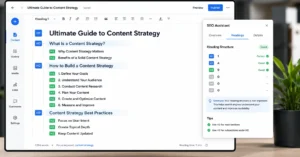
Select your highest priority long-tail keyword from Week 2. Draft an analytical brief that addresses that specific target. Write your introduction with direct candor—place the definitive solution to the reader’s primary question inside the first three sentences.
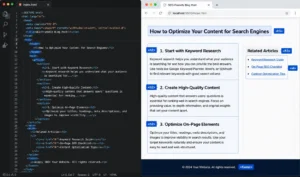
Organize your sub-topics using clear <h2> and <h3> tags that include your secondary keywords naturally. Do not wander into fluff topics to pad your length. If a sentence does not actively deliver a step, a metric, or an operational constraint, delete it entirely.
Day 20 to Day 23: Format structural formatting elements
Transform complex paragraphs into easily scannable structural elements. If you are comparing three distinct systems, use a clear Markdown table rather than a long blocks of text. If you are giving directions, build an ordered numerical sequence.
Ensure every image asset you embed features an explicit, descriptive alt text attribute that details what the visual contains without generic keyword stuffing. For example, use alt="Screen capture of Google Search Console URL index inspection tool report" rather than alt="seo tool" to assist crawler accessibility components cleanly.
Week 4: Technical stabilization and internal link architecture
The final week is about ensuring search crawlers can discover, parse, and distribute your new content assets efficiently without running into indexing friction.
Day 24 to Day 26: Resolve technical index barriers
Run your live assets through a web performance testing utility like PageSpeed Insights. Focus your adjustments entirely on Core Web Vitals parameters. Ensure your server response time is low and eliminate heavy, unoptimized image assets that delay layout stability.
HTML
<!-- Example of a properly formatted, absolute self-referencing canonical tag -->
<link rel="canonical" href="https://yourdomain.com/seo-basics-your-30-day-action-plan-as-a-beginner/" />
Verify that your system layout file hardcodes an absolute self-referencing canonical link tag into the header element of your pages. This prevents search engines from splitting your authority across alternate tracking parameter paths or duplicate session URLs.
Day 27 to Day 30: Connect your internal link ecosystem
You must systematically tie your new content pieces back into your broader domain architecture. Locate older, related pages on your site that hold established search equity. Inject contextual text hyperlinks from those existing pages pointing directly to your fresh week-three assets.
Ensure your anchor text is highly descriptive. Avoid lazy variations like “click here” or “read more.” Use precise, topical phrases like [IL → /seo/keyword-research-guide/ | master keyword research guide] so search spiders understand the thematic relationship between your documents before they execute a crawl.
What to skip — and what to do instead
When learning SEO for beginners 2026, you will find thousands of tactics that waste your time. Knowing what to ignore is just as important as knowing what to execute.
| What to Skip | Why It Fails | What to Do Instead |
|---|---|---|
| Buying automated backlink packages | Leads to search index removal and dynamic domain suppression. | Earn links through utility by building downloadable calculators or raw data summaries. |
| Obsessing over layout meta keyword tags | Modern search crawlers have completely ignored this field for over a decade. | Focus on title tags and H1 headers to establish your primary semantic signals. |
| Chasing perfect 100/100 software scores | Third-party arbitrary content grades do not always correlate to real user intent matches. | Read the top three ranking sites manually and cover the core sub-topics they missed. |
Frequently Asked Questions About SEO Basics
How long does it take for a beginner to see real SEO results?
Expect to wait 90 to 180 days to see meaningful ranking adjustments on a fresh domain. While structural index corrections can yield minor traffic blips in under a month, building genuine topical authority requires search crawlers to evaluate content signals over multiple update cycles.
Do I need expensive premium software to learn SEO basics?
No. You can complete all initial keyword exploration, platform tracking, and on-page alignment using free infrastructure platforms like Google Search Console, Google Keyword Planner, and native browser development inspectors.
Should I focus entirely on high volume keywords first?
Avoid this trap. High volume search targets are heavily defended by established authority domains. Beginners should prioritize specific, informational long-tail variations with low competition metrics to build early historical search trust.
Continue Exploring
- fix duplicate content Learn how to safely resolve indexing conflicts using advanced canonical controls and permanent redirection scripts.
- technical SEO audit framework Master the foundational framework required to diagnose and resolve structural crawl friction across larger domain profiles.