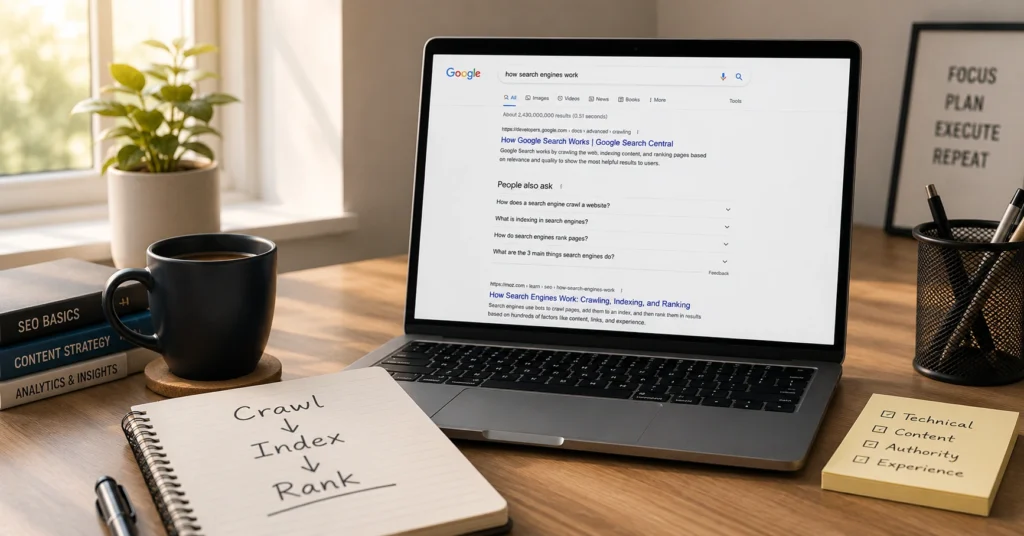
When you type a query into Google, you aren’t searching the entire web. You’re searching Google’s index — a massive, constantly updated database of billions of pages it has already found, analyzed, and stored.
That distinction changes how you think about SEO. If Google never crawls your page, it can’t rank it. If it crawls but doesn’t understand what the page is about, it won’t rank it. If it understands but your page isn’t useful compared to others, it still won’t rank.
This post explains how does google search work in plain language, with a focus on what you can actually control. You’ll get the mental model, the three core stages, the ranking logic that matters, and a few practical checks you can run on your own site. By the end, you’ll know why some pages never show up in search and what to do about it.
What most beginners get wrong about how Google search works
Most people imagine Google scanning the entire web every time you search. That’s not how it works — and that mistake costs time and traffic.
Google doesn’t search the live web. It searches its index. The index is built in advance by automated programs called crawlers (Googlebot is the most well-known). These crawlers follow links from page to page, collecting data about URLs and content.
When you search, Google’s algorithms pull matching pages from that index, then rank them using more than 200 signals — things like keyword relevance, content quality, page experience, and authority signals.
I’ve watched new sites publish solid content that never indexed for months. The issue wasn’t quality. It was that the site had almost no internal links, so Googlebot barely crawled it. Once we added a simple hub-and-spoke link structure, indexing went from weeks to days.
The practical takeaway: SEO starts before you write. You need a structure Google can crawl and an index entry that clearly says what the page is about.
The 3 Stages That Actually Matter: Crawling, Indexing, Serving
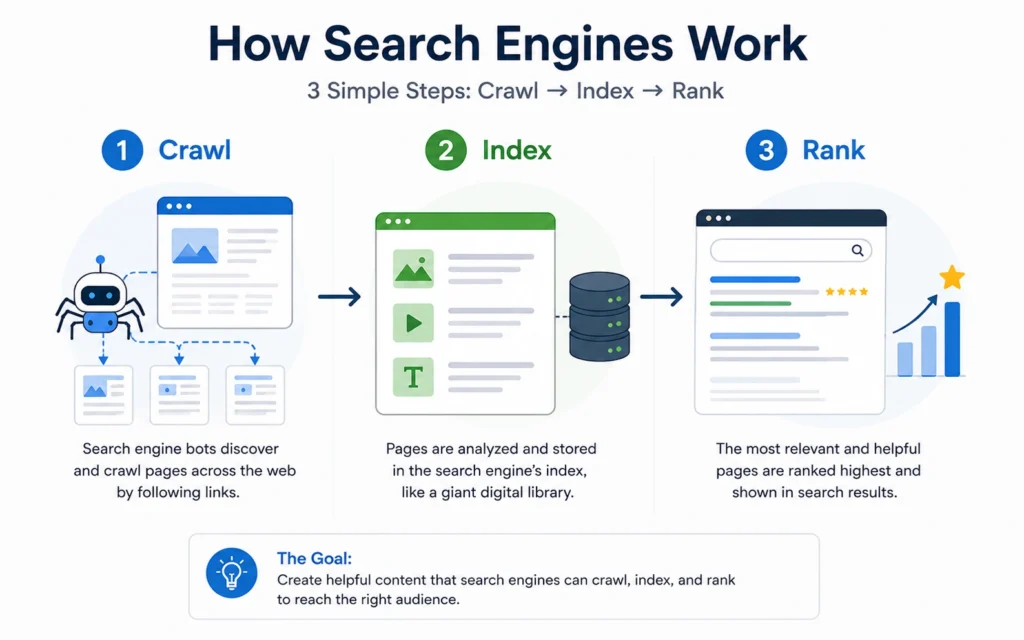
Google’s own documentation breaks search down into three core stages: crawling, indexing, and serving. Everything else is detail on top of this framework.
1. Crawling: How Google discovers pages
Crawling is how Google finds URLs. Googlebot starts with a set of known pages, follows the links on those pages, then follows links on the new pages, and so on.
Key points:
- Google crawls across the web regularly, not just once.
- Strong internal linking makes discovery faster.
- Pages blocked by
robots.txtor withnoindextags may be crawled but not indexed.
If your new blog post is buried three clicks deep with no internal links pointing to it, Google might not find it quickly — or at all.
2. Indexing: How Google understands and stores pages
Indexing is how Google learns what a page is about and stores that information in a searchable way. During indexing, Google:
- Parses the HTML and extracts text, headings, images, and metadata.
- Analyzes the content to understand the topic and relationships to other pages.
- Decides whether to include the page in the index at all.
Not every crawled page gets indexed. Low-quality, duplicate, or thin content often doesn’t make it in.
I once audited a 1,200-page site where only 18% of URLs were indexed. The problem wasn’t spam. The site used a dynamic URL structure with dozens of session parameters, creating thousands of near-duplicate URLs. Google saw them as low value and mostly skipped them. Cleaning the URL structure and adding canonical tags doubled the indexed pages in 6 weeks.
If your page isn’t showing in search, check the index first. Use site:yourdomain.com/page-slug in Google to see if it’s indexed. If it’s not, fix crawlability and indexing before you worry about ranking.
3. Serving and Ranking: How Google returns results
Serving is how Google matches your query to indexed pages and ranks them. When you search:
- Google cleans up your query (removes stop words like “the”, expands synonyms like “car” → “auto”).
- It searches the index for matching pages.
- It ranks those pages using relevance, quality, and usability signals.
Ranking depends on:
- Meaning: What the query and page are actually about.
- Relevance: How well the content matches the query terms and intent.
- Quality: Expertise, authoritativeness, trustworthiness (E-E-A-T).
- Usability: Page speed, mobile-friendliness, clear structure.
- Context: Your location, language, device, and search history.
A local service client ranked page 4 for their main keyword. We didn’t add new content. We improved the page’s intent match by rewriting the opening to answer the exact question (“How much does X cost in [city]?”), added a clear pricing table, and improved internal linking from 3 blog posts. They moved to position 2 in 17 days. The content didn’t change much. The intent match did.
What ranking factors actually matter in 2026
Google uses more than 200 unique signals to rank pages. You don’t need to optimize for all of them. You need to focus on the ones that consistently move the needle.
Intent match: The first filter
Before Google cares about keywords, it cares about what you’re trying to do. Searches fall into broad intent types:
- Informational: “how does google search work”
- Navigational: “Google Search Central”
- Transactional: “buy SEO course”
- Commercial investigation: “best SEO tools 2026”
If your page doesn’t match the dominant intent for a query, it won’t rank well — no matter how well you optimize keywords.
Check intent yourself:
- Search your target keyword.
- Look at the top 10 results.
- Are they blog posts, product pages, guides, or videos?
- Match that format and depth.
Relevance and content quality
Relevance is largely about whether your page contains the right concepts, not just the right words. Google looks at:
- The main topic and subtopics covered.
- How clearly the page explains the concept.
- Whether it answers the likely follow-up questions.
Quality signals include:
- Clear authorship and expertise.
- Up-to-date information (especially for news and time-sensitive topics).
- Depth that matches or exceeds top-ranking pages.
Page experience and technical foundations
Google favors pages that are:
- Fast (good Core Web Vitals).
- Mobile-friendly.
- Easy to navigate with clear structure.
- Free of major crawl errors and broken links.
A slow, confusing page can lose rankings even if the content is strong.
Authority and E-E-A-T
For many topics, especially YMYL (your money or your life), Google weighs:
- Expertise: Does the author have real knowledge?
- Authoritativeness: Is the site known as a reliable source?
- Trustworthiness: Is the site transparent, secure, and honest?
This is why a generic site struggling to rank can suddenly improve after getting links from reputable sources or publishing clearly authored, expert content.
How does google search work 2026: What’s actually different
You might see “how does google search work 2026” in search suggestions. The core process hasn’t changed: crawl → index → rank. What has changed is how results are presented.
In 2026, many queries show AI-powered overviews and generative answers on the results page. These answers pull from indexed pages and often cite sources.
Key implications:
- Clear, structured content is more likely to be used in AI overviews.
- Pages that answer questions directly and cite sources perform better.
- Traditional blue links still exist, but they share space with AI-generated summaries.
Blunt verdict: If your content is vague, generic, or buried under fluff, it won’t be useful for AI overviews or traditional rankings. Clarity wins in both systems.
Where people get stuck: Common mistakes and how to fix them
Mistake 1: Publishing without a crawl path
You publish a post but don’t link to it from anywhere. Googlebot may never find it.
Fix:
- Add internal links from at least 2–3 existing pages.
- Include the new page in your navigation or hub page.
- Submit an updated sitemap to Google Search Console.
Mistake 2: Ignoring indexation
You assume publishing = indexing. That’s not true. Many pages are crawled but never indexed.
Fix:
- Check
site:yourdomain.com/page-slugin Google. - Use Google Search Console’s URL Inspection tool.
- Remove
noindextags where they’re not intentional. - Fix duplicate content with canonical tags.
Mistake 3: Optimizing for keywords instead of intent
You stuff keywords into a page but don’t answer the actual question.
Fix:
- Search your target keyword and study the top results.
- Match the format (guide, list, comparison, tool).
- Answer the main question in the first 2–3 paragraphs.
When this approach works — and when it doesn’t
This mental model works for:
- New sites trying to understand why pages aren’t showing up.
- Marketers who want to make better SEO decisions.
- Founders who need to understand traffic problems without getting lost in jargon.
It doesn’t replace:
- Deep technical SEO audits for complex sites.
- Advanced link-building strategy.
- Local SEO or e-commerce-specific optimization.
Think of this as the foundation. Once you understand how Google search works, you can layer on more advanced tactics without losing perspective.
Quick checklist: Before you publish a new page
Use this checklist to align with how Google search works:
- The page has a clear single topic and question it answers.
- At least 2–3 existing pages link to it.
- URL is clean and descriptive (no session IDs or random parameters).
- Title tag includes the main concept near the front.
- H1 matches the user’s intent, not just the keyword.
- Content answers the main question in the first 100–150 words.
- No
noindextag or robots.txt block. - Sitemap is updated and submitted to Google Search Console.
If you skip these, you’re making Google’s job harder — and losing traffic you could have earned.
FAQ: Frequently Asked Questions About how does google search work
How does Google search work in 2026?
Google search still relies on crawling, indexing, and ranking. In 2026, AI-powered overviews and generative answers appear for many queries, but the core process remains the same: Googlebot finds pages, Google indexes them, and ranking systems serve the most useful results.
What is the first step in how Google search works?
The first step is crawling. Googlebot discovers URLs by following links from known pages to new pages across the web.
Do all pages get indexed by Google?
No. Many crawled pages never get indexed due to low quality, duplicate content, crawl errors, or intentional blocks via robots.txt or noindex tags.
How fast does Google find new pages?
It varies. Strong sites with good internal linking can see new pages indexed in hours. Smaller or new sites may take days or weeks.
Continue exploring:
- SEO Basics Hub — Go deeper into foundational SEO concepts.
- What keyword research should decide before you write — Learn how to choose keywords that deserve a page.