On-page SEO is not difficult because the technical requirements are intricate. It is difficult because most introductory training distills the practice into a brainless game of inserting specific phrases into text boxes.
When you spend your hours stuffing exact-match phrases into paragraphs just to turn a plugin indicator green, you are not communicating relevance to a search engine. You are creating noise. Search engines do not rank pages because they contain a magical phrase count; they rank pages because the structural code, information design, and text copy align perfectly to resolve a user’s problem.
Understanding on page SEO means understanding how a computer system reads your work. Every element you place on a web page—from the invisible metadata hiding in your header to the descriptive alternative text attached to a graphic—serves as an explicit contextual signal for an indexing engine. If these signals contradict one another, or if they fail to address the core problem behind a search entry, your page remains invisible.
This guide strips away the vague optimization advice and provides a practical blueprint for building pages that search systems can confidently read, understand, and rank.
What on-page SEO rewards—and what it punishes if you approach it badly
Search platforms are market preservation systems. Their entire business model relies on a single premise: when a user types a query into a search field, the platform must deliver an answer that is immediate, accurate, and completely unambiguous.
If a page forces a user to dig through 800 words of introductory fluff before delivering a simple definition, that page has failed the user experience.
[User Search Query] ──> [Search Bot Parses Page Structure] ──> [Relevance Verification] ──> [Rank Position Assigned]
                                                                        │
                                                          (If structure is broken/ambiguous)
                                                                        ▼
                                                          [Page Categorization Fails]
True on page SEO for beginners rewards absolute clarity, rapid access to details, and explicit structural organization. It systematically punishes pages that rely on decorative filler, confusing layouts, or artificial word insertion.
In my early projects, I spent three weeks optimizing an engineering landing page by manually tweaking sentence structures to feature specific terms. The page flatlined in performance. It only began moving up the search rankings once we stripped out the stylistic prose, organized the subtopics into explicit nested headers, and answered the core consumer question within the first 120 words.
The system values structural utility over creative writing. If your layout makes it difficult for an automated program to classify your core subject within milliseconds, it will simply move on to a competitor’s page that respects its processing constraints.
What to know before you start your first optimization
Before you open a content editor or write a single header, you must accept that on-page optimization cannot salvage content that has no structural reason to exist. A page cannot be optimized if it does not have a definitive, singular purpose.
Every page you publish must target a specific user need—often represented by a central search phrase—and it must resolve that need better than the ten documents currently ranking on the first page.
You must also separate the process of on-page optimization from external promotional factors. While external links and domain trust dictate how much authority your site commands, your on-page framework determines exactly what topics your site is allowed to compete for. Think of authority as fuel and on-page structure as the engine; the best fuel in the world is useless if the pistons cannot move.
Finally, keep your toolset minimal. You do not need expensive software suites to execute clean on-page optimization. A simple text editor, an understanding of fundamental HTML markers, and direct access to your website’s content management system are all that is required to build highly competitive pages.
Why search engine algorithms demand structural clarity
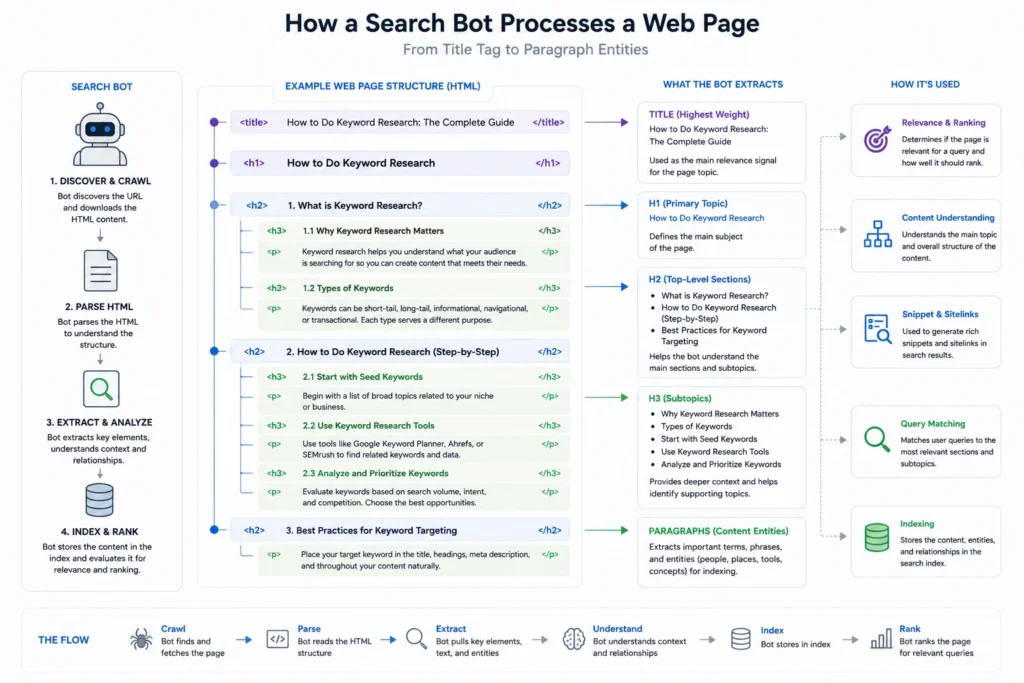
Search crawlers do not see a web page the way a human operator does. They do not marvel at color palettes or typography choices; they see a stream of structured markup text.
To turn this raw stream of information into a coherent search result, the system relies on an indexation pipeline that parses your page from top to bottom, categorizing every block of text based on its enclosing HTML tags.
       ┌────────────────────────────────────────────────────────┐
       │             HTML HEAD: Metadata Processing            │
       │  <title> -> Primary contextual identity (SERP Title)   │
       └───────────────────────────┬────────────────────────────┘
                                   ▼
       ┌────────────────────────────────────────────────────────┐
       │             HTML BODY: Hierarchy Parsing               │
       │  <h1>   -> Singular topic declaration                  │
       │  <h2>   -> Major conceptual pillars                    │
       │  <h3>   -> Supporting granular details                 │
       └────────────────────────────────────────────────────────┘
When an automated program hits your page, it uses these specific structural tags to map out your content’s semantic architecture. The title tag provides the macro-context, the <h1> confirms the singular topic, and the subsequent <h2> and <h3> tags establish the subtopics.
If this structural flow is broken—for example, if you use <h2> tags simply to make text look larger in the middle of a paragraph—the crawler misinterprets your information hierarchy. This confusion introduces indexing friction, making it highly unlikely that your content will be served for multi-layered search queries.
The concepts that matter most in on-page SEO
To build pages that rank, you must master the core technical hooks that search systems use to evaluate web documents. Let us break down these key structural elements.
Title tags as the primary identifier
The title tag is the single most critical piece of on-page metadata you can control. It is written in the header of your HTML document and serves as the clickable headline displayed on search engine results pages.
A search system treats the words within your title tag as the absolute core theme of the page. It uses this string to determine if your document is fundamentally relevant to a user’s raw query.
Heading structures as an information map
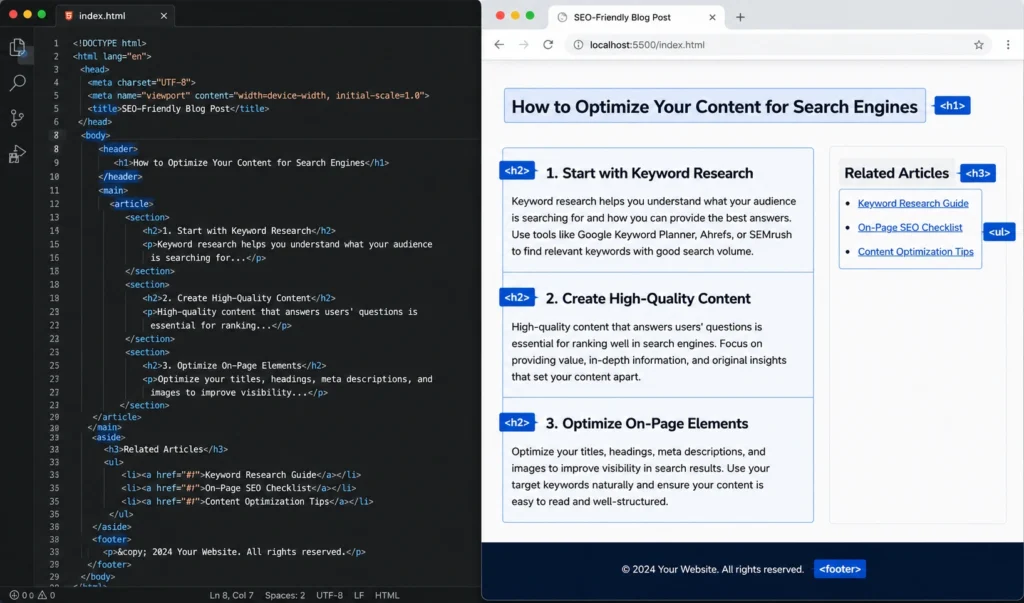
Headings are not stylistic tools; they are structural anchors. Your page must feature exactly one <h1> tag that declares the main topic of the piece.
From there, your document should use <h2> tags for major conceptual pillars and <h3> tags for granular details nested inside those pillars. This creates a nested hierarchy that allows both human readers and search bots to scan and understand the entire document layout in under three seconds.
The introductory paragraph as an intent anchor
Search systems pay outsized attention to the first 100 to 150 words of your page. This opening area acts as an intent anchor.
By stating your primary topic and answering the user’s core question immediately within this space, you provide immediate validation to the search system that your page matches the user’s intent. Leaving this area empty of clear topical indicators forces the crawler to guess your focus based on deeper text blocks.
URL paths as explicit navigational clues
A URL path should read like a logical map directory. Clean, short paths that contain your primary descriptive phrase tell the search system exactly where the document sits within your site’s hierarchy.
Long, messy URLs filled with random numbers, dates, or database strings provide zero contextual value and increase crawling complexity.
Image alternative text as accessibility signals
Search engines cannot visually interpret images the way a human eye does. They rely heavily on the alt attribute embedded within the HTML image code to understand what a graphic represents.
Writing descriptive alternative text does two things: it allows search engines to index your imagery accurately within image search engines, and it ensures your site remains accessible to visually impaired users using screen readers.
Where people get stuck: errors, myths, and false starts
The absolute most common error in on page SEO 2026 practices is keyword stuffing. This is the outdated process of repeating an exact-match phrase over and over until the text sounds like it was generated by a broken machine.
Modern search systems use advanced semantic understanding; they do not need to see a phrase fifteen times to know a page is about that topic. They look for related concepts, natural synonyms, and comprehensive explanations.
Verification Test: If you can remove your primary keyword from a sentence and the line suddenly sounds significantly more natural, your optimization is forced. Rewrite the section entirely.
Another pervasive myth is that your content must hit an arbitrary word count to earn a top spot. You will often hear that a page must be exactly 2,000 words to rank. This is completely false.
A search engine ranks pages based on how efficiently they resolve the user’s intent. If a user is searching for a quick code snippet or a simple definition, a 300-word page that delivers that answer instantly will outperform a bloated 3,000-word essay every single time.
Focus on depth and completeness of the answer, not the physical length of your scroll bar.
Tools, workflows, and blueprints that actually help
To move from theory into real-world execution, you need a repeatable process. Below is the exact operational framework to follow every time you configure a new page on your website.
Step 1: Establish the metadata foundation
Before writing your body copy, open your CMS or header configuration file and set your primary meta tags. Your title tag must place your primary descriptive phrase near the front of the string to ensure it isn’t cut off on small mobile viewports.
| Element | Structural Requirement | Character Limit / Target | Example Construction |
| Title Tag | Primary phrase first + unique editorial hook | 50–60 characters | On-Page SEO: The Complete Guide to Page Optimization |
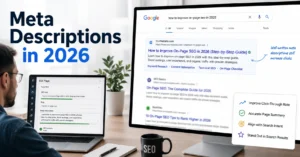
| Meta Description | Summary of the specific value + clear user action | 120–150 characters | Learn how to optimize your web pages using structural HTML, clean heading maps, and clear text content blueprints. |
| URL Slug | Lowercase, hyphen-separated primary phrase only | 3–5 words max | /on-page-seo-guide/ |
Step 2: Construct the structural outline
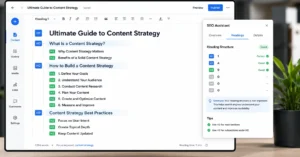
Build your content blueprint using only heading tags to verify that the logical flow makes sense without reading any body paragraphs. Your outline should follow a strict technical hierarchy.
HTML
<h1>The Mechanics of On-Page SEO (Primary Topic)</h1>
    <h2>Why Search Engines Require Structural Clarity (Pillar 1)</h2>
    <h2>The Core Elements of Page Optimization (Pillar 2)</h2>
        <h3>Title Tag Configurations (Nested Detail)</h3>
        <h3>Heading Hierarchies (Nested Detail)</h3>
    <h2>Common Optimization Pitfalls to Avoid (Pillar 3)</h2>
Step 3: Implement descriptive element tags
When adding media elements like diagrams or system screenshots, configure the HTML attributes to pass clear contextual text to the indexer. Do not rely on your CMS auto-naming features.
- Bad Image Implementation:
Step 4: Build internal context connections
A page does not exist in isolation. To pass crawling signals through your site, you must insert targeted internal links that connect your new page to your broader content ecosystem.
For a complete breakdown of structural design and site blueprints, make sure to read our comprehensive Category Hub for additional strategic patterns. Ensure your anchor text is descriptive and tells the reader exactly what they will find when they click the link.
What it costs: time, money, and attention
Executing solid on-page SEO requires almost zero direct financial investment. Unlike paid advertising campaigns that vanish the moment you stop paying for clicks, or complex digital tools that charge heavy monthly software fees, the inputs for on-page optimization are entirely behavioral.
Total Resource Investment:
├── Financial Cost: $0 (Managed via free native CMS tools)
├── Time Investment: 45–60 minutes per article document
└── Attention Split: 20% Technical Metadata | 50% Structural Layout | 30% Intent Alignment
The true cost is time and attention to detail. Expect to dedicate roughly 45 to 60 minutes per article purely to configuration, structural auditing, and asset alignment.
You must train yourself to look past the visual aesthetics of your layout and ruthlessly examine the underlying framework. It takes mental discipline to cut a beautifully written introductory story simply because it delays answering the user’s primary question.
When to use this approach and when to walk away
On-page optimization is non-negotiable for any content that you expect to earn traffic from organic search platforms over the long term. If you are building resource directories, software tutorials, product comparison tables, or educational guides, this structural workflow must be executed every single time you publish.
However, you should completely ignore this rigorous process for specific types of digital content. For instance, time-sensitive company announcements, personal op-eds, artistic expression pieces, or flash landing pages built specifically for paid Facebook or Google ad campaigns do not benefit from this structure.
Trying to force strict search engine boundaries onto an emotionally driven essay or a conversion-focused sales script often dilutes the copy’s raw impact and ruins its primary business objective. Use the system where search volume exists; abandon it where human emotion or immediacy is the sole goal.
What to skip—and what to do instead
Stop wasting your time hunting down obscure variations of latent semantic indexing terms or obsessing over keyword density percentages. There is no secret algorithm check that penalizes you if your primary phrase appears 1.8% of the time instead of 2.1%. These are manufactured metrics designed to sell complex optimization software.
Instead, invest that reclaimed energy into improving your page’s internal navigation elements. Build an interactive table of contents with direct anchor links that allow users to jump straight to the exact technical sub-element they need to study.
Work on optimizing your page load speeds by compressing large media files into modern file formats like WebP. A perfectly structured page will still fail to rank if its loading times are so slow that users bounce back to the search results page out of sheer frustration.
Frequently Asked Questions About On-Page SEO
How long does it take for on-page SEO changes to affect rankings?
Rankings typically update within a few days to three weeks after optimizing a page. The exact timing depends entirely on how frequently search engine bots crawl your specific site. A high-traffic news site gets re-indexed within minutes, while a brand-new blog with low authority might take 14 days to register updates.
Can I do on-page SEO without technical coding knowledge?
Yes, you can manage the vast majority of optimizations through modern content management systems like WordPress, Webflow, or Shopify. These platforms provide dedicated input fields for title tags, headings, and alt text. You only need to understand what text to input into these boxes rather than how to write raw HTML code.
Should I change old blog posts to fit new on-page SEO standards?
Updating older articles is often the fastest way to increase organic traffic. Look for pages that currently sit on the second page of search results. Updating their headers to match contemporary user intent, fixing outdated statistics, and inserting descriptive image text can pull those pages into high-visibility positions within weeks.
Is the meta description a direct ranking factor?
No, search engine algorithms do not use the text inside your meta description to calculate your absolute ranking position. However, it is still a critical optimization element because it acts as the ad copy for your link on the results page, directly influencing whether a searcher decides to click your listing or scroll past it.
What is the difference between on-page SEO and off-page SEO?
On-page SEO focuses entirely on elements you control directly within your own web document, such as code structure, images, and text copy. Off-page SEO deals exclusively with external signals that happen away from your website, such as earning backlinks from other trusted publications or building brand mentions across social channels.
Continue Exploring
To further develop your search marketing architecture skills, continue reviewing our technical performance breakdowns.
- Learn how page speed metrics alter crawler accessibility parameters Optimizing structural code is only effective when your hosting infrastructure serves data files rapidly enough to satisfy mobile indexing spiders.
- Discover how to classify search phrases before building content frameworks Every heading map you build must directly align with whether a searcher wants to buy a product, locate a site, or learn an operational process.